
Digital signage for banking and insurance
From the storefront to the advisor’s office, a customer is not looking for the same thing at every step. Each screen carries its own message — and every one of them runs from a single dashboard, branch by branch or across the whole network.
The starting point
In a branch, information ages faster than the sign that carries it
A bank branch or an insurance agency communicates about offers that change, rates that move and fraud alerts that have to go out the same morning. The printed poster and the counter leaflet stay exactly where they are.
The journey
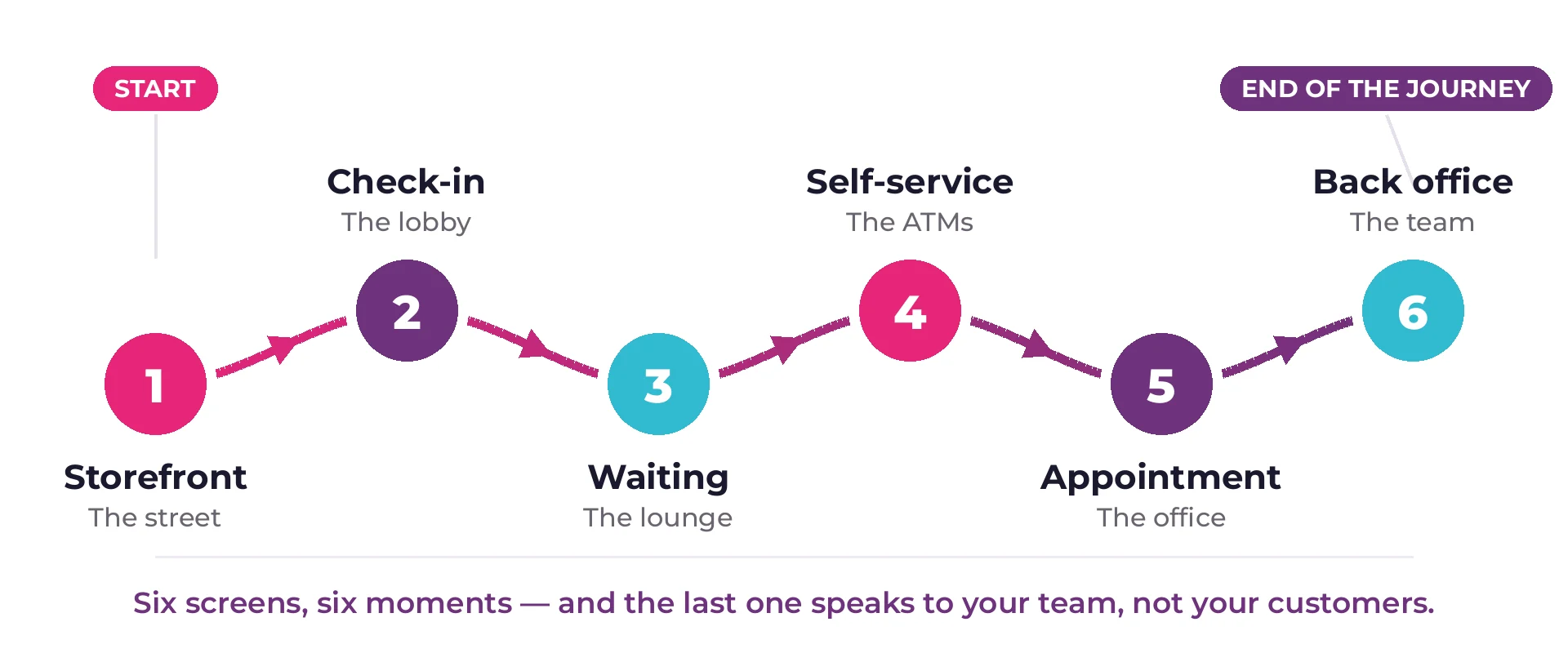
From the sidewalk to the back office, six moments worth a screen
Here is the path a customer takes through an equipped bank branch, from the street to the space reserved for staff. Each screen answers a different question — and the last one no longer speaks to the customer, but to the team.


The suite
Digital signage solutions for banks and insurance companies
Six everyday uses in a bank branch or an insurance agency, one platform and one contract. Everything runs from E-MANAGER, the web dashboard that drives the screens, the tickets, the offices and the visitors — without switching tools between two subjects.
Each module switches on separately: a branch can start with queue management and add signage six months later, without changing platform or repeating the training.
Compliance
Nothing reaches a screen without passing through someone
This is the question that stops most projects in banking and insurance: who is allowed to publish, and how do you make sure an unapproved visual never lands in a branch window. The answer comes down to four settings.
Roles kept apart
Create, approve, publish: three separate rights. A branch can prepare its visual without being able to publish it until compliance has signed off.
An end date, set from the start
It is entered at the same time as the start date. The offer disappears on its own the evening of its last day, on every screen at once.
A searchable history
What was shown, when and by whom stays on record — useful the day you have to reconstruct a past communication.
Disclosures locked into the template
Mandatory disclosures live in the template: they carry over to every visual built from it, without anyone having to remember them.
Visuals are composed in EMITY’s built-in editor, inside the platform itself, from templates in your brand colors — and if your teams already use them, Canva and Adobe Express plug straight in.
The network
Running thirty branches without leaving your desk
A banking network, a spread of insurance agencies or a group of brokers always raises the same question: how do you keep communication consistent without endless back and forth.
One head office, thirty branches, a single dashboard
In E-MANAGER a screen is never driven on its own: it belongs to a group. Head office pushes content to the “storefronts” or “lobbies” group, not to one branch after another.
- ✓National content leaves head office and lands everywhere in seconds.
- ✓Local content stays with the branch: extra staff on duty, an unplanned closure, a neighborhood event.
- ✓Scheduling follows the opening hours of each branch, Saturdays included.
- ✓A screen that goes offline shows up in the dashboard: head office knows a window has gone dark before the branch manager calls.
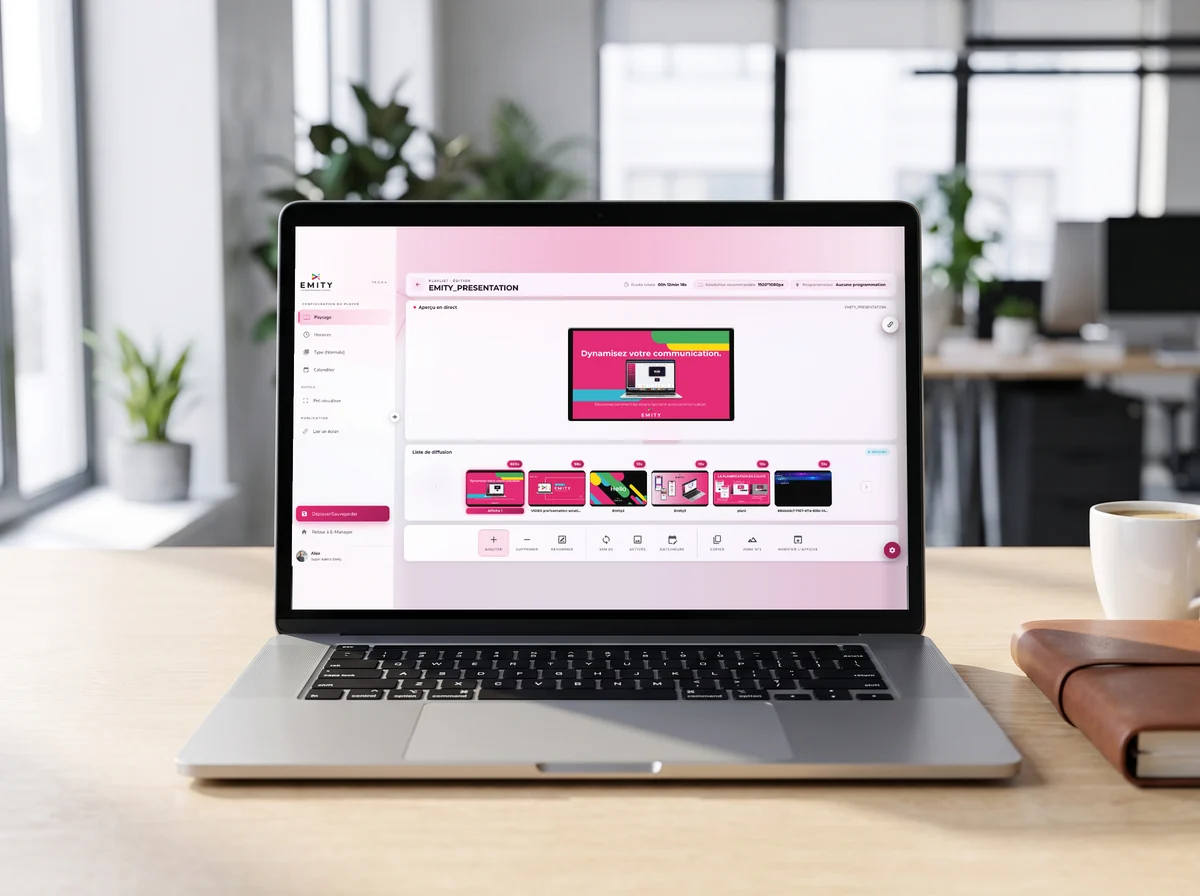
The interface is web-based: it opens from head office as easily as from the back office, with nothing to install on a workstation.
Security
What IT asks about first
One more device in a bank branch is one more thing to justify. These are the four points that come up in every review.
A connection that stays out of your network
The player runs on a separate internet line, outbound only. It needs no access to the banking network, and nothing travels from the outside into your systems.
Two-factor authentication and SSO
Access to the platform is protected by two-factor authentication. The Excellence plan adds SSO, so accounts follow the company directory: the subscription plans.
Fine-grained rights, branch by branch
Each user sees only their own scope. A branch manager cannot publish to the whole network, and an outside agency can drop a visual without being able to broadcast it.
Your existing screens stay
EMITY works with every display manufacturer. A recent fleet does not need replacing: compatible equipment.
Hardware
Which screen belongs where in the branch
The choice comes down to the space available and the light, not to a catalog. Four situations cover almost every bank branch and insurance agency.
| Location | Equipment | What decides |
|---|---|---|
| Storefront | High-brightness display facing the street | Direct sunlight: below 2,500 cd/m² the image disappears behind the reflection. See choosing a screen. |
| Lobby and waiting area | Professional display, 43 to 65 inches | Viewing distance: allow roughly one inch of diagonal for every two inches of step-back. |
| Check-in, self-service | Freestanding kiosk or totem | The expected gesture: if the visitor has to choose, they need a touch surface, not a passive screen. |
| Office doors, wayfinding | E-paper panel | Power: with no outlet nearby, electronic ink runs for years on a battery. |
Before you choose
Five criteria that matter in financial services, and nowhere else
A signage platform is rarely compared on the same points from one industry to the next. Here is what makes the difference for a bank, an insurer, a credit union or a brokerage.
| Criterion | The question to ask | What EMITY answers |
|---|---|---|
| Network isolation | Does the player need to sit on the internal network? | No: a separate internet line, outbound only. |
| Approval before broadcast | Can content go out without being reviewed? | Rights are split between creation, approval and broadcast. |
| Functional scope | Do tickets, visitors and rooms each need another tool? | No: the six modules share one dashboard and one contract. |
| Hardware compatibility | Does the existing fleet have to be replaced? | Every manufacturer is supported, including a fleet inherited from another vendor. |
| Multi-site control | Can head office publish without going through each branch? | Yes: screen groups, national content and local content. |
Getting started
Four steps, and the first branch is on air
A connection, not an integration
A network socket or a dedicated Wi-Fi access is enough. Nothing connects to the core banking system, so there is no integration file to open.
The screen, with or without a box
An E-BOX behind the display, or E-SOFT installed inside it if the screen is connected. The display shows up in the dashboard straight away.
First visuals, without a designer
EMITY’s built-in editor starts from templates in your brand colors: text, image, mandatory disclosures. A poster takes a few minutes.
Groups, once and for all
Storefronts, lobbies, self-service, break rooms: groups are created once. After that, publishing to thirty branches costs the same gesture as publishing to one.
EMITY sells through a network of certified resellers: installation and training come from a partner near you, in France and across Europe.
Scale
EMITY in a few numbers
+7,000
connected screens
+1,000
customer accounts
+130
distribution partners
+20
countries
EMITY is a French software publisher, founded in 2018 in Montpellier. An account holds from one to a thousand screens, which leaves room for a single branch as much as for a national network. Details: our offers and our subscriptions.
Frequently asked questions
What institutions ask before they equip a branch
Nearby
Three pages that complete this one
Queue management in detail
Check-in by reason, calls to the window, estimated wait: queue management.
The platform in detail
What E-MANAGER does beyond the branch: digital signage, and for head offices screens in companies.


