
Company visitor register: digitize your entries and exits, securely
EMITY’s VISITOR REGISTER module replaces the reception book with a digital register: every arrival and every departure is recorded in seconds, tracked in real time and exported in one click. GDPR-compliant natively, from the small site to the industrial facility.
Who is the register for?
One register, several audiences
The module adapts to everyone who comes in and out of your site — each with their own reason for visit and their own reception journey.
Visitors & customers
Appointments, meetings, sales presentations.
Employees
Internal teams and new joiners.
External contractors
Service providers, consultants, auditors, technicians.
Delivery drivers & suppliers
Deliveries, equipment, collections.
Occasional visitors
Partners, candidates, one-off visits.
Immediate benefits
Digitize entries and exits, save time
Automating the check-in of every person on site changes three things straight away.
Know who is on your site
At any moment, the number and the identity of the people present appear in your dashboard.
Speed up check-in
Less waiting at reception, fewer typing errors, and a polished first impression.
Simplify the paperwork
Reports are generated in one click and the access history is archived effortlessly.
Everything you gain day to day
- ✓Easier access to the register, for the public as well as your teams
- ✓Faster entries and exits, with no queue at reception
- ✓Pre-registration of employees and regular visitors
- ✓Precise identification of every person on site
- ✓Full traceability of entries and visits
- ✓Data centralized in a single E-CLICK space
- ✓One-click CSV export for your reports and your audits
- ✓A smoother visit experience for your audience
Understanding
Why keep a visitor register in a company?
A register is not an administrative formality: it is what lets you know who is on your premises, the second you need to know.
What information should the register record?
For each visit, a few details are enough to make the register useful — and to stand up to an inspection. A complete visitor register records at least:
- ✓The visitor’s first and last name
- ✓The company or organization they belong to
- ✓Time of arrival and time of departure
- ✓The reason for the visit
- ✓The person they are meeting in the company
- ✓A digital confirmation or signature
This data makes it possible to identify everyone on site and to track every entry. The procedure adapts to your organization and stays instantly reachable from your management space.
Visitor identity
Last name, first name, company.
Required field
Time stamping
Arrival and departure recorded automatically.
Automatic
Reason for visit
Why they came and which internal contact they are meeting.
Customizable
Confirmation
The visitor’s signature or digital scan.
Consent recorded
Legal framework
Is a register mandatory in your company?
Legal obligation or good practice?
Keeping a visitor register is not required of every company. It is, however, strongly recommended in ERP (buildings open to the public) and ERT (buildings receiving workers). Some classified industrial sites have specific obligations tied to their activity.
A safety measure above all
Whatever the legal constraints, keeping a register is a fundamental health and safety measure: it protects everyone who enters your premises and helps manage human risk in an emergency.


Safety
Knowing who is present, at the moment it matters
Traceability and safety: the emergency case
In a fire or an evacuation, knowing exactly who is inside your premises is vital information. That is precisely what a paper register cannot give you: nowhere to be found, or unreadable, at the very moment you need to read it.
A digital register hands the list of people present to the safety officer or the emergency services in one click. Your evacuation plan finally rests on up-to-date data.
- ✓Instant alert: the list sent in one click
- ✓Real time: who is present, right now
- ✓Safety plan: named management of everyone present

Comparison
Paper or digital register: which format should you choose?
Many companies still keep a book or a spreadsheet. The method works — until the day you need to find a piece of information quickly.
| Criterion | Paper / Excel register | EMITY digital register |
|---|---|---|
| Data security | ✗ Risk of loss or theft | ✓ Encrypted, secure storage |
| GDPR compliance | ✗ Hard to guarantee | ✓ Built in natively |
| Real-time traceability | ✗ Not available | ✓ Live dashboard |
| QR code / NFC | ✗ Not available | ✓ Check-in in 5 seconds |
| Emergency management | ✗ Unusable list | ✓ Instant export of those present |
| Exports and reports | ~ Manual and tedious | ✓ CSV in one click |
| Customization | ~ Fixed template | ✓ Interface in your own brand colors |
No specific hardware is needed beyond the kiosk or tablet you already have. The 3-month free trial gives access to the Excellence version, up to 3 screens included.
Features
What the VISITOR REGISTER module does
Four building blocks cover the whole cycle: the visitor’s arrival, live tracking, recognition of regulars and getting the data out.
QR code and NFC
The visitor scans their code or presents their badge: they are checked in in under 5 seconds, with no help from reception.
5 seconds
Real-time dashboard
The list of visitors and employees present appears live: identity, arrival time, status.
Live view
Pre-registration
Your expected visitors and your regular employees are recognized on arrival: one scan is enough.
Time saved
CSV export and reports
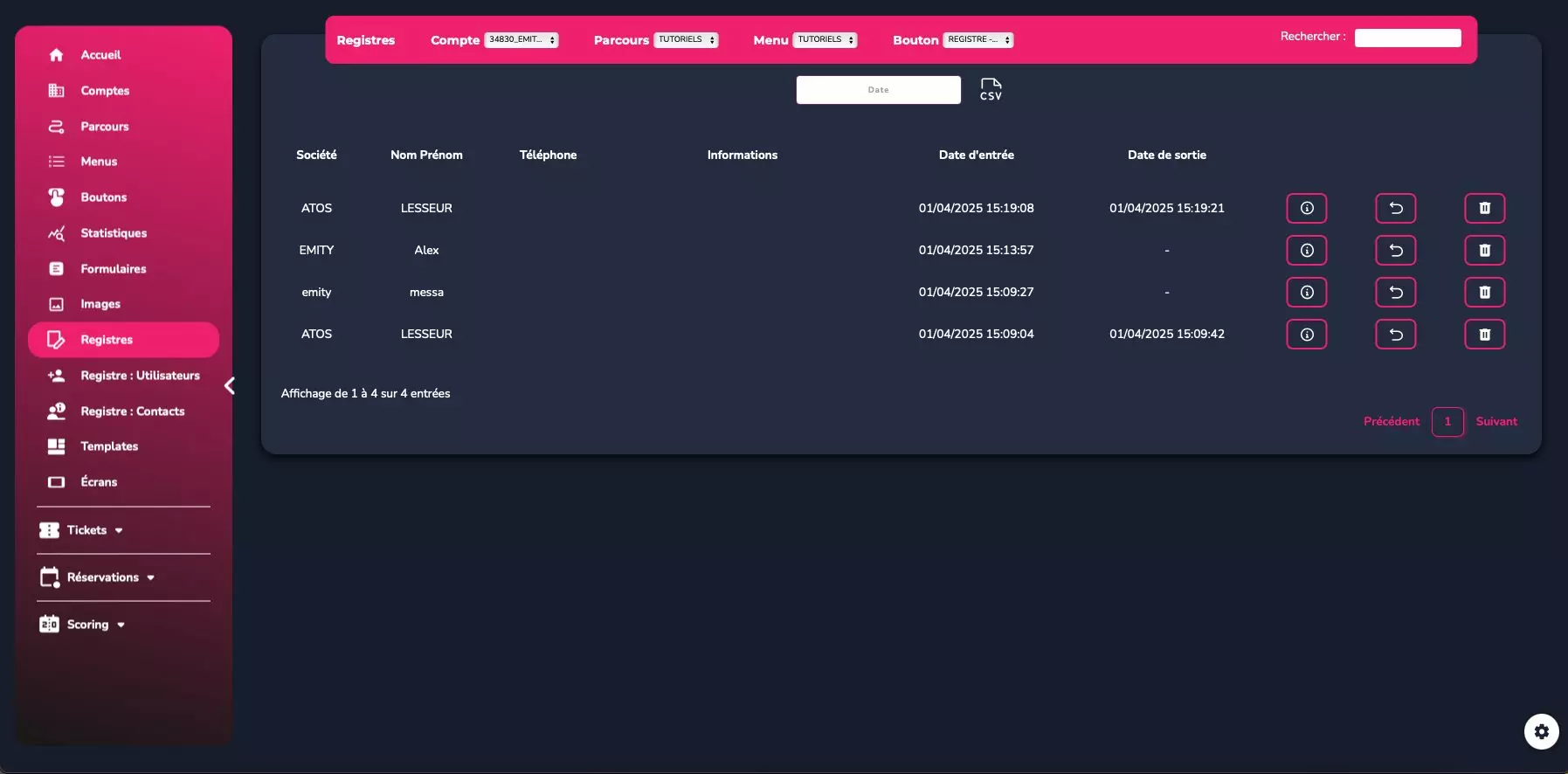
All the register data downloads in one click for internal audits and reporting.
1 click
Build your reception form in a few clicks
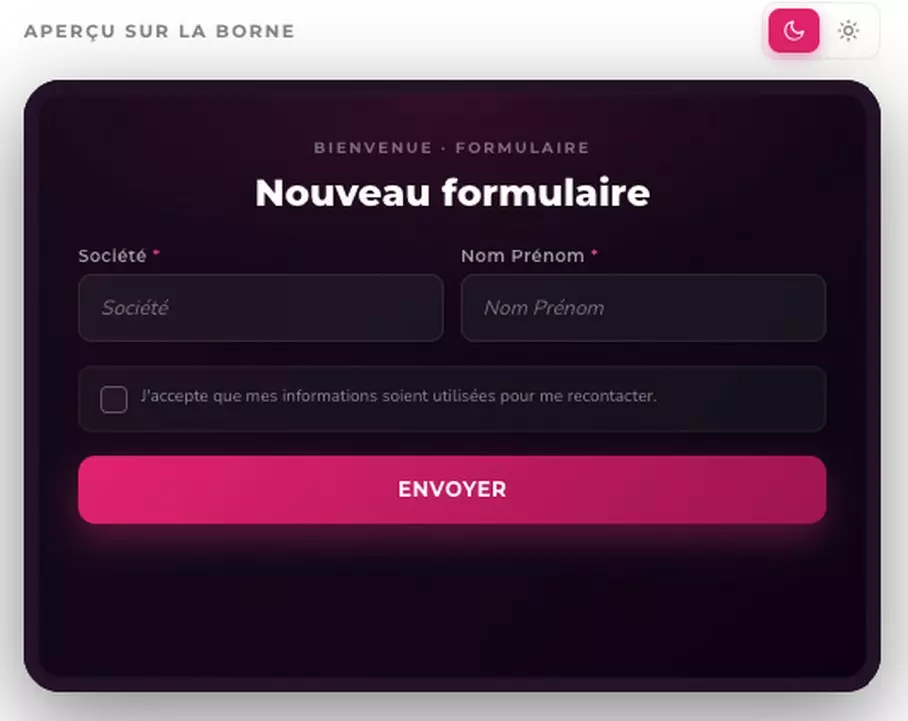
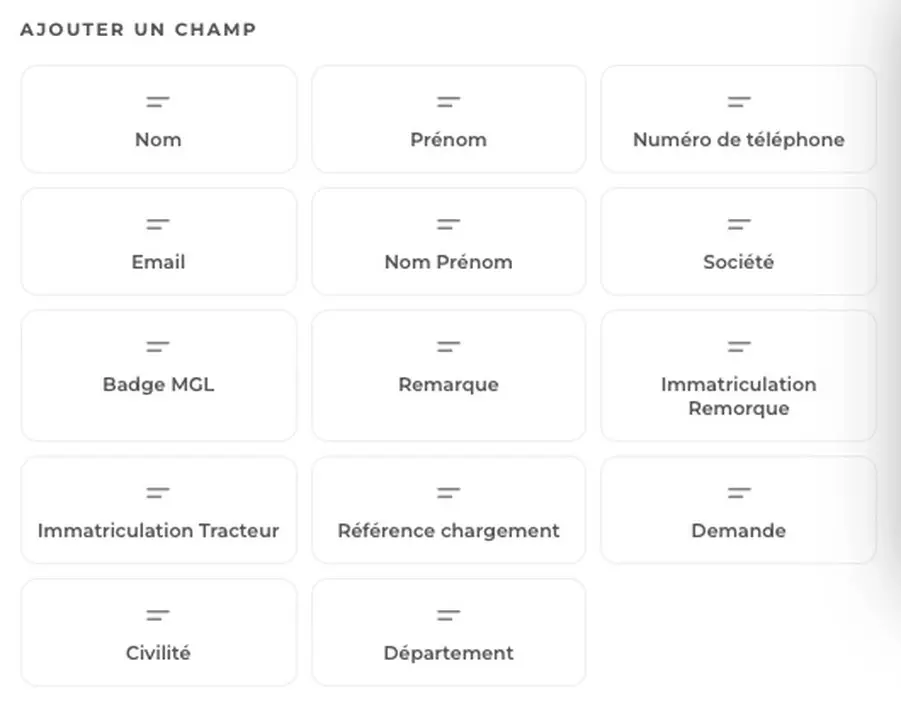
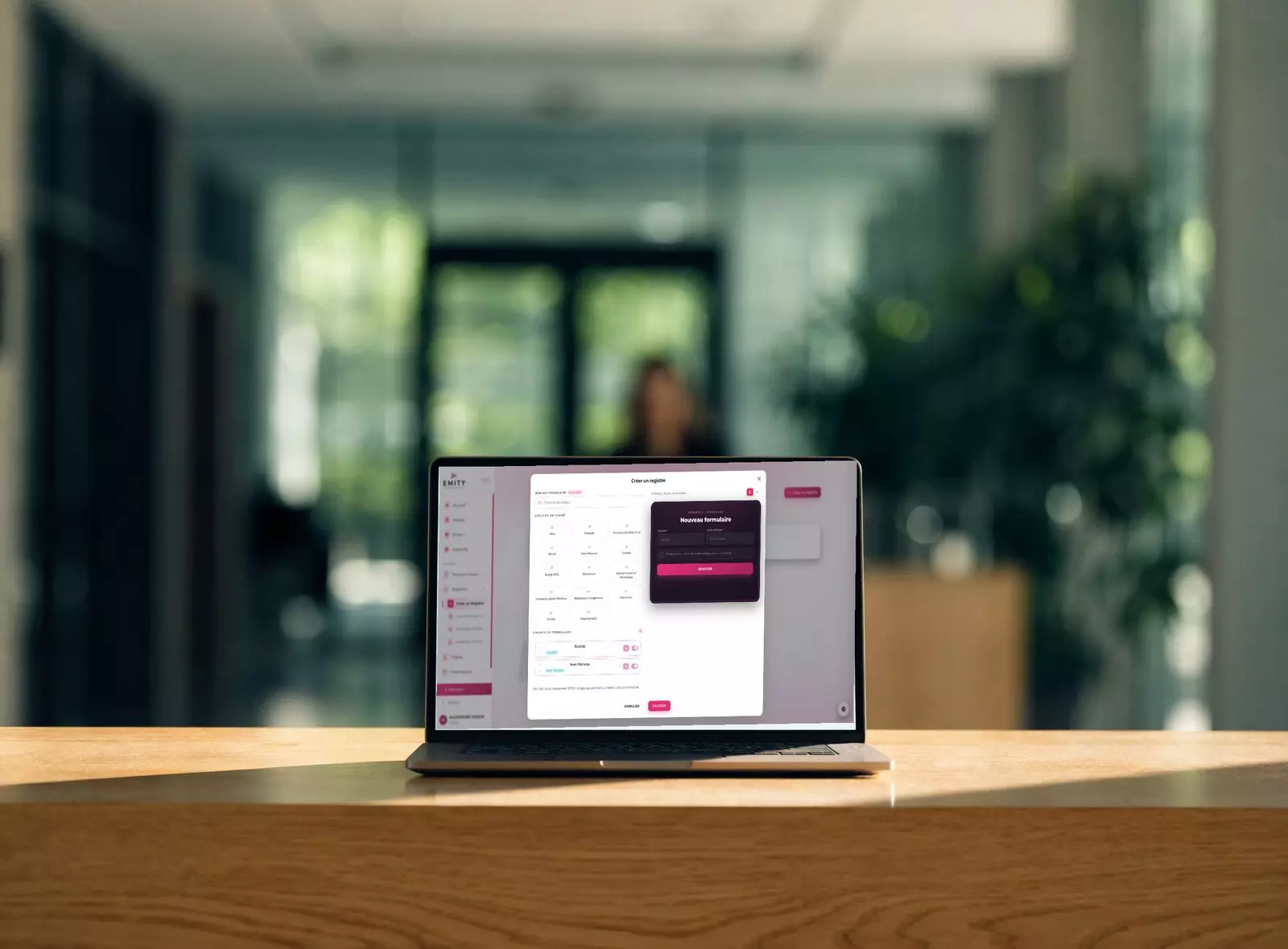
From E-MANAGER, you choose the fields the visitor will fill in on the kiosk and you see the result live in the preview. Each site can have its own register: head-office reception, loading bay, building site.
- ✓Ready-to-use fields: last name, first name, company, phone, email
- ✓Business fields: tractor or trailer registration, load reference, badge
- ✓Reason for visit, comment, department, title
- ✓The order, width and required status of every field
- ✓A GDPR consent box added automatically
Compliance
GDPR compliance and personal data
A visitor register collects personal data. Compliance should not ask any extra work of you: it is built into the module.
Consent recorded, access restricted per user and automatic purging: all three rules are handled natively, with no administrative procedure to keep up to date.
Expert tip
Three reflexes for a compliant register
To set up once, in five minutes.
Set the retention to 3 months
Configure automatic deletion of visitor data after three months: that is the period recommended by the CNIL for processing linked to physical access.
Inform people at reception
Display a notice stating how personal data is processed and the rights attached to it (access, correction, erasure).
Restrict access
Limit who can consult the register to authorized people: rights are managed user by user in E-CLICK.
Gallery
See the product to believe it
Four real screenshots of the module: the visitor side, the setup side and the manager side.

FAQ
Frequently asked questions about the visitor register
Digitize your visitor register this week
Check-in by QR code or NFC, built-in GDPR compliance and a real-time dashboard for all your entries and exits. You finally know who is on your premises — and you can prove it in one click.
✓ Excellence version ✓ Up to 3 screens included ✓ No credit card ✓ GDPR-compliant


