INTERACTIVE KIOSK SOFTWARE

Interactive kiosk software: the guide to choosing and deploying your solution

The global interactive kiosk market exceeds USD 34 billion in 2024 and grows by 7% per year (Grand View Research, 2025). Choosing the right interactive kiosk software determines the effectiveness of your communication and the return on investment of your rollout. This guide helps you assess your options against your real needs.

$34B
Global market
2024
900+
Business
clients
3 months
Free
trial

DEFINITION

What is interactive kiosk software?

Interactive content, digital signage and visitor experience

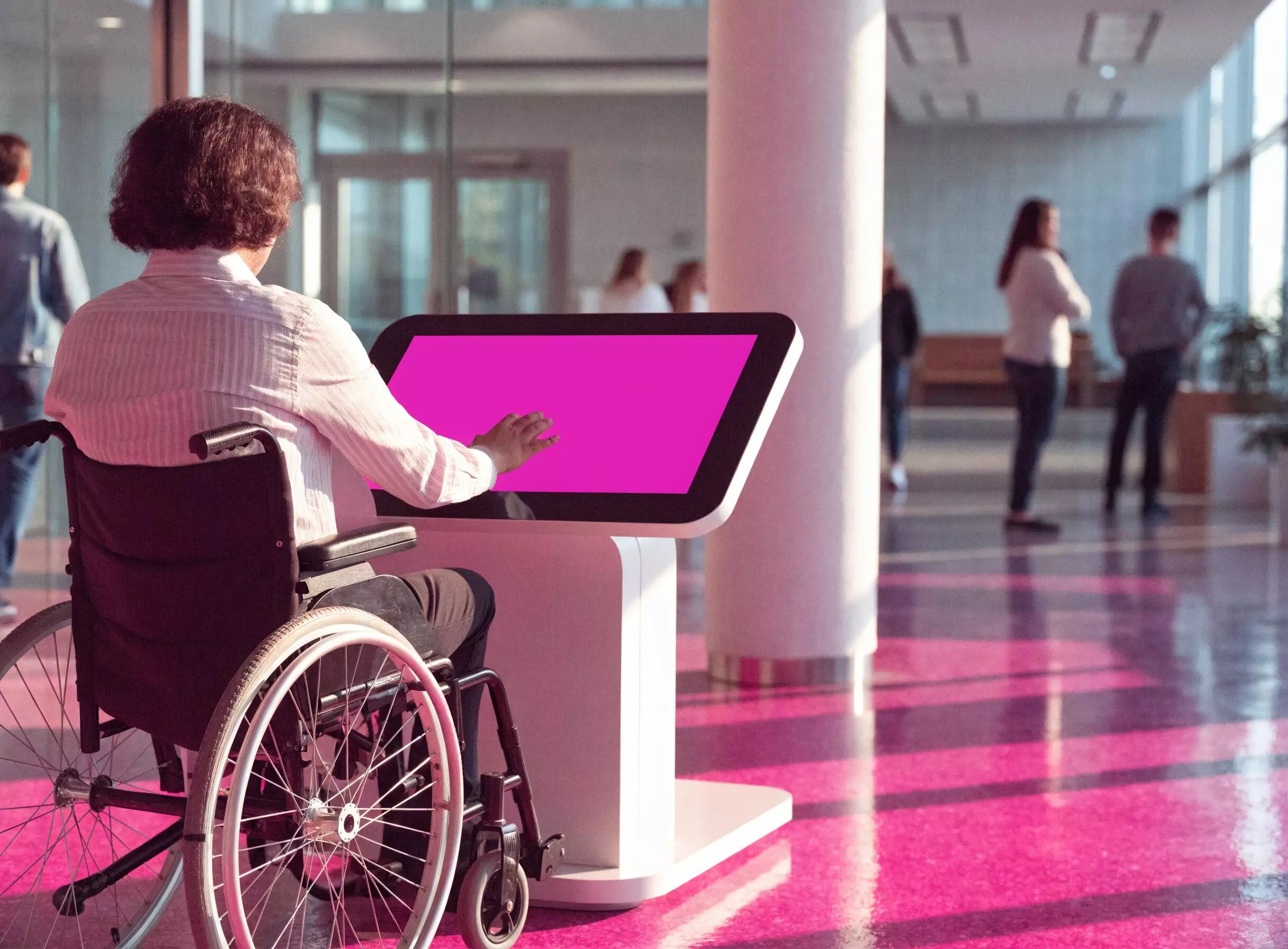
Interactive kiosk software drives what your visitors see and experience on screen. It manages the creation, scheduling and broadcasting of interactive content: images, videos and personalized journeys. The visitor experience starts here – not with the hardware. A well-managed digital signage setup turns a simple screen into an active touchpoint inside your reception area.

Digital signage
Images, video, animations
Personalized journeys
Tailored visitor experience
Interactive content
Active touchpoint

Kiosk lockdown
Secure navigation
Data protection
Restricted access

Kiosk mode: securing navigation and public-facing usage

Kiosk mode locks your touch kiosk down to the only allowed applications. Without it, a visitor could freely access your web browser or your internal data. This setting blocks navigation outside the perimeter and protects your system.

Did you know?

A kiosk exposed in self-service without kiosk mode active opens up your internal network to significant security risks. The setup takes less than 5 minutes with a professional software.

Remote management and supervision of your kiosk fleet

A solid supervision software lets you manage your fleet from a single interface. Scheduled power-on, real-time content updates, alerts in case of failure, per-kiosk analytics: you control all your terminals remotely with no on-site action.

Centralized control
One multi-kiosk interface
Real-time updates
Instant rollout
Alerts and analytics
Continuous monitoring

FEATURES

Key features of an interactive kiosk software

Visual content creation

Create visual content with no technical skills, no code (visual editor, Canva or Adobe Express import).

Multimedia broadcasting

Broadcast varied media: images, videos, animations, RSS feeds. Schedule playlists via the sequence editor by time slot.

Real-time updates

Instant updates across the entire fleet in real time. Multi-user content management with access rights.

Centralized control: configure and supervise your kiosks remotely

  • Centrally managing a kiosk fleet means fewer trips and less downtime.
  • This control tool is accessible from your mobile device or your PC.
  • You configure each kiosk individually or by group and receive proactive alerts.

Expert tip

Expert tip:

Schedule your content updates at night. Your kiosks stay 100% available during opening hours and you avoid any visible interruption for your visitors.

INDUSTRIES

Interactive kiosk software by industry

Businesses and public sector: digital reception and visitor wayfinding

Digital reception via interactive kiosk replaces paper signage and guides visitors autonomously. In business as well as inside public sector facilities, use cases cover wayfinding, regulatory information and visitor logbooks.

Industry Recommended module Use case Key benefit
Business E-CLICK + Visitor logbook Digital reception, wayfinding, HR information Fewer queues at the front desk
Public sector E-CLICK + Legal posting Citizen information, service wayfinding Replaces paper posting
Retail E-CLICK + Surveys Interactive POS, product presentation, customer reviews Higher in-store basket
Hospitality E-CLICK + Queue management Check-in, wayfinding, services information Smooth guest reception
Healthcare / care homes E-CLICK + Queue management Patient flow, wayfinding Reduced waiting time

Retail and hospitality: self-service kiosks and customer loyalty

Interactive kiosk software enriches the in-store and point-of-sale customer journey. Your kiosk becomes an active communication tool and a sales aide: product presentation, real-time promotions, satisfaction surveys. Europcar uses EMITY across 360 screens and tablets in its agencies in France and overseas territories. The retail sector represents 32.1% of the global kiosk market (Mordor Intelligence, 2025). The shopping experience is transformed from the moment a customer enters the store.

Interactive POS
Product presentation
Real-time promotions
Customer loyalty
32.1% market share
Global retail sector
Dynamic maps
Geolocation
Apidae integration
Official tourism data
24/7 broadcasting
Outdoor totems

Tourism, museums and cultural venues: interactive information and immersive experience

Tourism interactive kiosks in museums, cultural sites and tourist offices inform visitors in full self-service. Whatever the type of venue, dynamic maps, live programs and geo-located activity suggestions enrich the experience. Outdoor totems ensure 24/7 information broadcasting. EMITY’s Apidae integration adapts content to France’s official tourism databases.

SELECTION GUIDE

How to choose your interactive kiosk software

The 5 decisive criteria to evaluate your interactive kiosk software

Here are the 5 axes to evaluate before any investment in interactive kiosk software:

1

Ease of creation

Your team must create and update content without a developer.

2

Module range

Queue management, surveys, booking: each module avoids a separate subscription.

3

Multi-site remote management

The solution must manage multiple sites and hundreds of kiosks from a single interface, with no specific connection per device.

4

Hardware compatibility

SOC-compatible software (LG, Samsung), Android and Raspberry Pi for your existing equipment.

5

Real total cost

Evaluate subscription, deployment and training. A 3-month free trial lets you validate without commitment.

Expert tip:

Ease of deployment and quality of support drive 80% of the field experience. Don’t choose on the feature list alone.

Cost estimate and ROI calculation for your project

How much does an interactive kiosk solution cost for your organization? Number of kiosks, sector and required modules drive your ROI. Use our simulator to estimate your investment in 30 seconds.

Calculate your savings potential

Compare a multi-tool approach cost vs EMITY all-in-one

1. Number of kiosks and screens
2. Modules you need
Digital signage
Interactive reception
Queue management
Space booking
Satisfaction surveys


Your estimate
Multi-tool approach
distinct tools
estimated monthly cost
EMITY all-in-one
1
single platform
3-month trial
Excellence edition free
Savings potential

TRY EMITY FREE – 3 MONTHS

Full Excellence edition – up to 3 kiosks – no commitment

Start with a 3-month free trial (full Excellence edition, up to 3 kiosks) to validate your use case before scaling the rollout.

EMITY SOLUTION

EMITY’s E-CLICK: the all-in-one interactive kiosk software

An integrated suite: E-CLICK, digital signage, queue management and industry modules

Most organizations stack 3 to 5 separate tools to cover their needs: a kiosk software, a queue management software, a booking software and a survey software. EMITY brings them together in a single software suite, with a single training session at the end.

Criteria
Multi-tool
EMITY all-in-one
Recommended
Tools to manage
3 to 5 tools
1 platform
User interfaces
3 to 5 interfaces
1 single interface
Monthly invoices
3 to 5 invoices
1 subscription
Team training
3 to 5 trainings
1 training
Technical support
Multiple contacts
1 EMITY team
Data integration
Custom development required
Native, zero code
Content updates
Platform by platform
Simultaneous, entire fleet

E-CLICK manages interactive journeys on your kiosks and totems. E-MANAGER drives your screen network as digital signage software. Queue management, Booking and Survey modules activate on demand, with no new application to install. Result: a single interface, a single subscription and a single training session for your team.

Intuitive interface, 3-month free trial and dedicated support

EMITY is designed for teams with no advanced technical skills. The native Canva integration – unique among digital signage software – enriches the built-in editor and lets you create visuals directly inside the platform. Your 3-month free trial gives access to the full Excellence edition on up to 3 kiosks. For complex projects, our IT engineering team supports secure on-premise deployment and API connections.

Native Canva integration
Simplified visual creation
3-month free trial
Full Excellence edition
IT engineering team
Dedicated support

They trust EMITY: Colissimo, Europcar and Schindler

More than 900 businesses run their kiosk and screen network with EMITY. Our solutions cover every industry, from neighborhood bakeries to international corporate accounts.

Colissimo

(La Poste) grew from 30 to 300 deployed kiosks.

Europcar

Operates 360 screens and tablets across France and overseas branches.

Schindler

Brings their elevator cabins to life. "It performs!" (Rahim, Digital Project Manager, Schindler).

More than 900 businesses trust EMITY

Deploy your first kiosk
in less than an hour

Test the full EMITY suite on 3 kiosks for 3 months, with no commitment. Excellence edition, built-in Canva access, dedicated support.

Free 3-month trialFull Excellence editionUp to 3 kiosksNo commitment

Our team is here to help you get started.

FREQUENTLY ASKED QUESTIONS

FAQ – Interactive kiosk software

What is the best interactive kiosk software?

The best interactive kiosk software depends on your use case. For European businesses and public-sector organizations looking for an all-in-one solution (kiosks + digital signage + queue management), EMITY E-CLICK offers the best balance between features and ease of deployment.

How does an interactive kiosk work?

An interactive kiosk combines a touch screen and a software that drives the display and the interactions. The software manages the content shown inside each user journey and ensures system security. Everything is controlled remotely via a web interface.

What features does an interactive kiosk offer?

The main features: multimedia content management, secure kiosk mode, built-in surveys, digital queue management, space booking, visitor logbook and remote control of the kiosk fleet.

How do you create an interactive kiosk easily?

Pick a SaaS software solution with a built-in editor. Create your content online from your mobile or PC, configure your interactive journey and roll it out on your touch screen or totem with no code or technical work. EMITY lets you launch a first kiosk in less than an hour.

What software is best for tourist interactive kiosks?

For tourist interactive kiosks, prioritize a software compatible with local tourism databases (Apidae, Intramuros) and tuned for outdoor totems. EMITY natively integrates both sources for museums, tourist offices and public-sector organizations in France.

What are the advantages of interactive kiosks?

The main advantages: improved visitor experience, 24/7 self-service availability, lower reception costs, real-time data analytics collection and modernization of your digital communication.

How do you manage a fleet of interactive kiosks?

Managing a fleet of kiosks requires a centralized supervision software, accessible via a standard internet connection. From a dashboard, you configure each kiosk, review analytics and push real-time updates. EMITY runs hundreds of terminals from a single interface.

What solutions exist for interactive kiosks?

There are three categories: SaaS no-code software suites (EMITY, suited to most specific needs), security-oriented MDM platforms and custom development. For most organizations, an all-in-one solution like EMITY offers the best balance between feature breadth and deployment speed.

DOCUMENTATION

Download our E-CLICK brochure

Your interactive kiosk software starts here

Test the EMITY suite for free for 3 months – full Excellence edition, no commitment.

TRY FOR FREE →