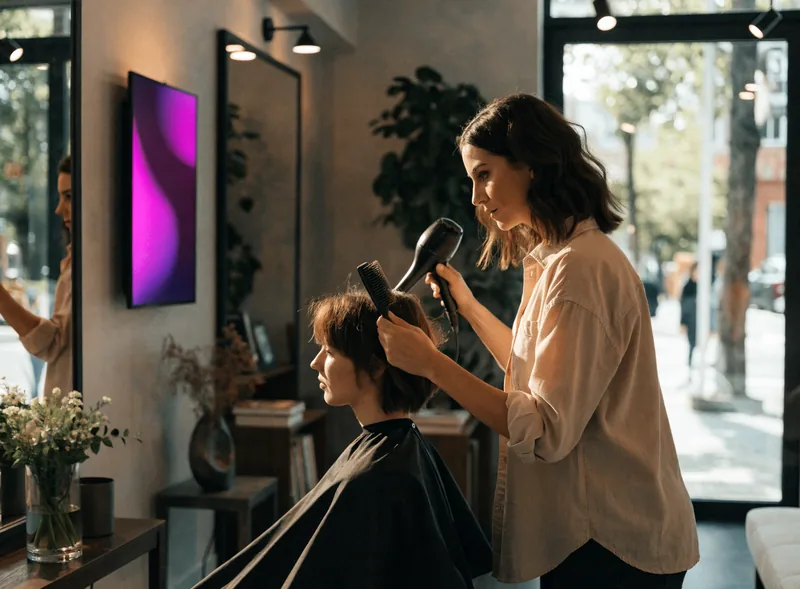
Hair · Beauty · Barbering

Digital signage for hair salons: one screen for each moment of the appointment

A client does not look at the same thing on the pavement, in the chair and at the till. So each screen carries its own message — your services, this month’s offer, the treatment you have just recommended — and all of them are changed from one dashboard, including the one in the back room that is meant for your team.

1,000+customer accounts
7,000+screens connected
1screen is enough to start

The problem

What a salon repeats all day long

In a salon the same piece of information is said out loud twenty times a day, and the thing that could carry it — the window card, the chalkboard, the shelf talker — goes out of date fast.

The window card fades

Printed once, it stays up for months. The sun bleaches it, the offer it announces has finished, and reprinting it means a trip to the printer.

Services are recited from memory

What you offer, what is new, what a package includes: the client asks, someone answers. A screen that shows it frees up time for advice.

Waiting feels longer than it is

Ten minutes standing at a counter is not experienced like ten minutes sitting in front of something worth looking at. The time has not changed — the wait has.

Your work stays on a phone

Before-and-afters, the colour that came out beautifully, the wedding hair: it is your strongest argument, and it is sitting in someone’s camera roll.

The journey

From the window to the back room: six moments worth a screen

Here is the path of an appointment, followed as the client lives it: he walks past, he comes in, he waits, he sits down, he leaves. At each step the screen answers a different question — and the last one is not aimed at him at all, but at your team.
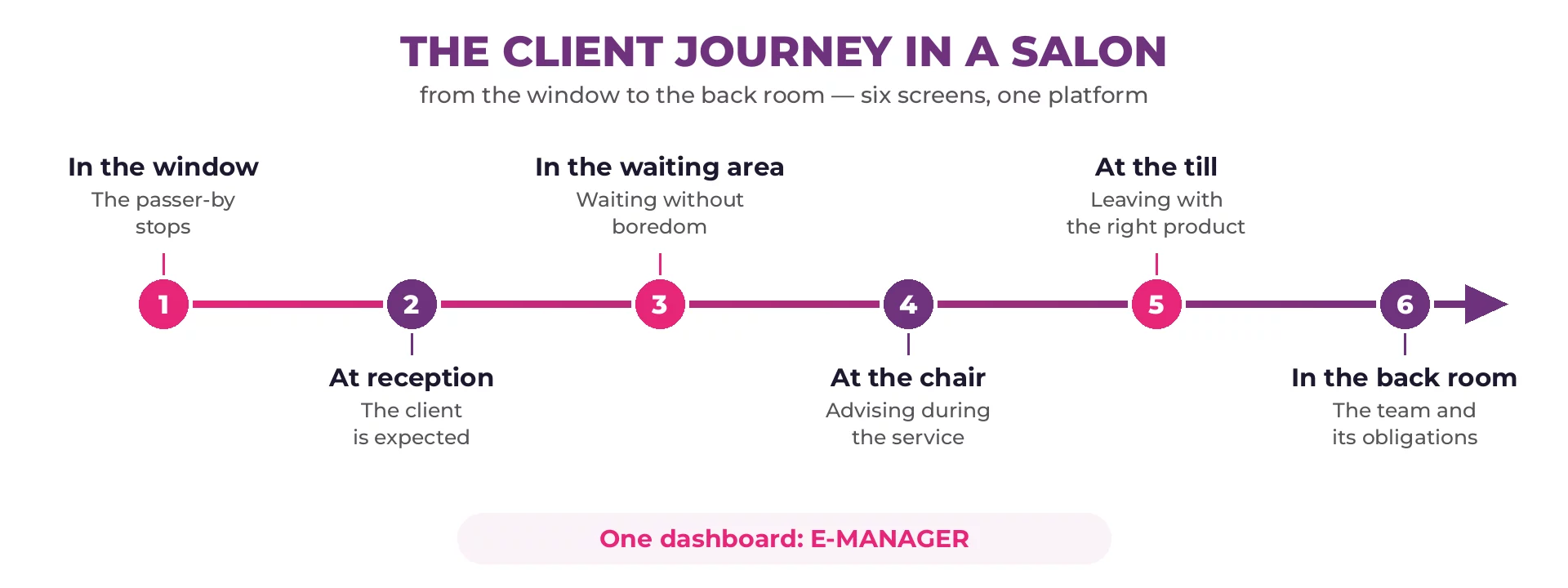
Six-step client journey in a hair salon: window, reception, waiting area, chair, till and back room

Screen in the shop window of a hair salon, seen from the pavement at dusk

1 · In the window

He walks past without meaning to stop. The window screen shows the opening days, the services and the current offer — and with the shutter down it carries on telling people when you are open.

Attracting

Screen behind the reception counter of a hair salon showing the client’s chair

2 · At reception

He comes in: his appointment is on the system, his chair is shown. When several people arrive at once, the queue module announces the order without anyone having to ask.

Reassuring

Client sitting in the waiting area of a hair salon in front of a screen

3 · In the waiting area

Five minutes on the bench, or twenty while a colour develops. The screen fills the time: your work, what is new, your social posts, today’s weather.

Occupying

Digital signage screen in a hair salon, seen from the styling station

4 · At the chair

This is the moment the client is listening. A screen facing the mirror shows the shade chart, the result of a treatment, the technique you are suggesting — it backs up your advice rather than replacing it.

Advising

Screen above the product shelves of a hair salon

5 · At the till

He leaves with his cut: this is where the treatment you mentioned comes back to mind. The screen in the retail corner puts one product forward at a time, or the loyalty card, or the next appointment.

Extending

Hairdresser in front of a screen showing the day’s chairs in the back room of a salon

6 · In the back room

The only screen that is not aimed at clients: the chairs for the day, moved appointments, targets for the week, and the notices you are required to make available to staff — which is what the statutory display module is for.

Organising

The six screens do not arrive together. Most salons start with one — the window or the waiting area — then add others as they prove useful. The platform does not change.

The content

What you actually put on screen

Three families of message are enough to keep a salon supplied all year. They take turns on the same screen.

Your services

  • The service list and packages
  • New treatments and techniques offered
  • The shade chart and colour ranges
  • Appointments still available this week
  • Opening hours, including closures

Your craft

  • Before-and-afters of your work
  • Wedding and occasion hair
  • Your social media posts
  • Client reviews and feedback
  • The products you recommend

Salon life

  • This month’s offer and gift vouchers
  • Referrals and the loyalty card
  • A new stylist joining the team
  • Recruitment and apprenticeships
  • Statutory notices for the team

In practice

What matters in a salon, and nowhere else

A salon is neither a shop nor an office: space is tight, the light comes off the street, and nobody has time to drive a piece of software between two clients.

A screen, not an installation

A 43-inch professional display is enough to start, mounted above the bench. The right hardware depends on the space you have — see the compatible equipment list.

The window catches the sun

Behind south-facing glass, an ordinary screen becomes unreadable at exactly the hours when people walk past. High-brightness panels are made for it.

Five minutes a week

Content is prepared once and then loops. An offer is scheduled ahead, a closure is announced from a phone. Nobody needs to be sitting at a computer.

The client who would rather browse alone

An interactive kiosk lets people look through the service list or a shade chart without taking up anyone’s time — useful at busy hours.

A spot with no socket

A price frame by the door, signage along a corridor: electronic paper (e-paper) draws no power while the image stays the same and runs for up to five years on battery.

More than one salon

A group running three addresses sends the shared campaign to every screen in one action, and lets each salon keep its own hours. Permissions per user decide who publishes what.

How it works

How a screen starts showing your content

Four steps, and no IT skills needed. Getting the first screen live usually takes less than half a day.

1

You build the content

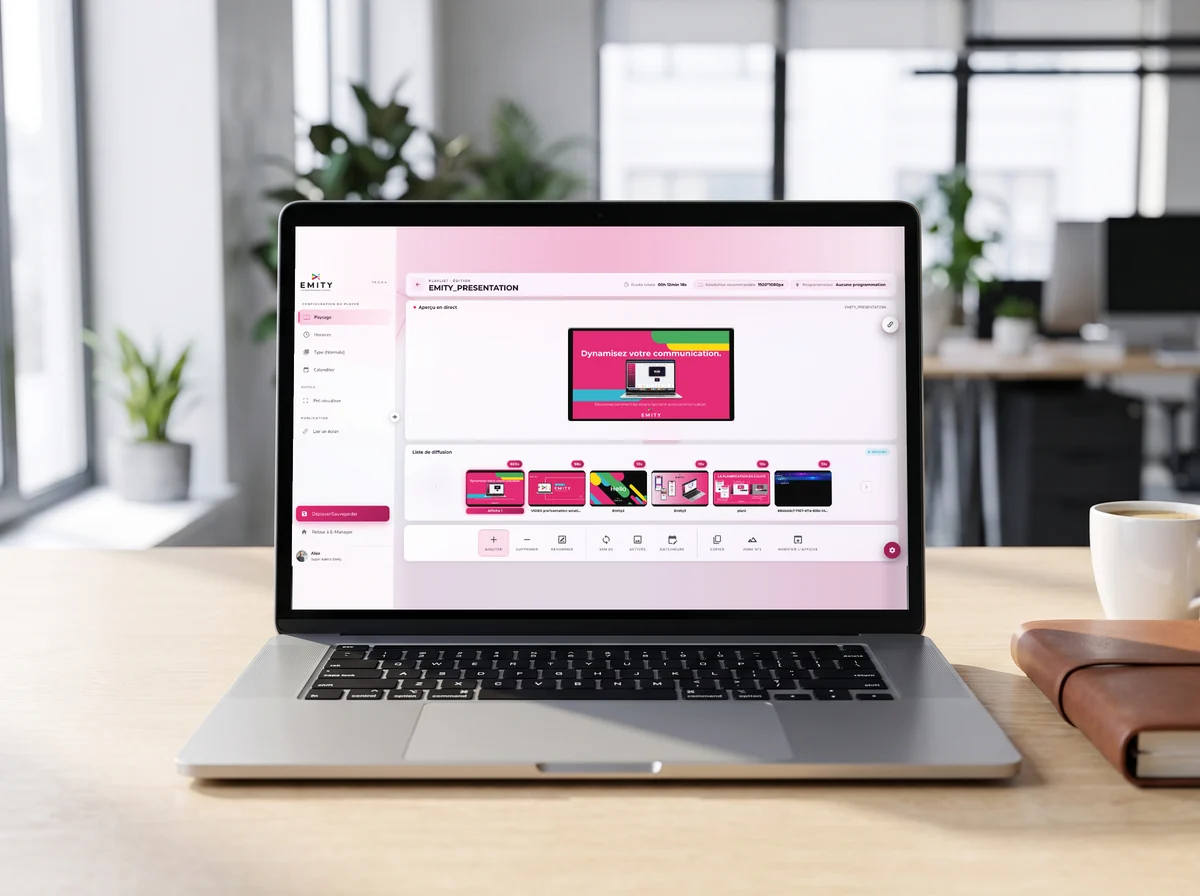
In EMITY’s built-in editor you put together a service list or an offer from a template, straight inside the platform — nothing to install. If you already use Canva or Adobe Express, both connect as well.

2

You schedule it

You choose where and when: the window in the morning, the waiting area all day, the Saturday offer on Saturdays only.

3

The screen plays it

An E-BOX player plugs in behind the screen, or E-SOFT installs directly on professional screens running Android, Tizen or webOS. Playback is local, so it carries on even if the connection drops.

4

You adjust it

An unexpected closure, a slot that has opened up: the change is made from a phone and goes out straight away. Your data is protected by two-factor authentication.

EMITY is sold through a network of certified resellers, so an installer near you can carry the project from choosing the screen to mounting it. You can also read more about the digital signage platform itself.

One salon, or a whole group

The platform is the same for an independent salon and for a group of thirty. What changes is who publishes, and for whom.

  • A single salon: one account, one screen, ten minutes to get going.
  • Several addresses: the group offer goes to every screen, opening hours stay local.
  • A franchise: the franchisor sends out the brand campaign, the franchisee keeps control of their own salon.
  • From 1 to 1,000 screens per account: nothing to replace as the group grows.
Frequently asked questions

What salons ask before they commit

Hairdressing sits within the personal care and beauty sector, itself part of the wider service economy. In practice a salon is a small retail-and-service business: it sells time and skill by appointment, and often products alongside. That mix is what shapes its communication needs — services and prices to display, a window to fill, waiting time to occupy, products to recommend, and a team to keep informed.

Beyond cutting and colouring, most salons combine several activities: treatments and care, styling for occasions, retail sales of professional products, gift vouchers, and sometimes barbering or beauty services. Each of those has something to show a client at a specific moment — which is why a single poster by the door rarely covers it, and why the screens described on this page are placed by moment rather than by room.

Digital signage means showing your information on one or more screens connected to a platform, in place of printed cards and chalkboards. In a salon those screens carry three families of content: your services (list, packages, shade chart), your craft (before-and-afters, your work, social posts) and salon life (this month’s offer, opening hours, loyalty). Content is changed from a phone or a computer and reaches the screens concerned within minutes.

The budget has two parts. The hardware — a professional display and a player — is bought once, usually through a certified reseller who also mounts it. The software is a subscription per screen, and the level depends on the functions you want. A salon can therefore start with one screen and extend later. A three-month trial lets you test the platform before committing; the detailed pricing is on our subscriptions page.

No. Content is built in the built-in editor from templates: you replace a line of text, you drop in a photo. The rest is choosing where and when it shows. In practice a salon spends a few minutes a week on its screens, and urgent changes — a closure, a slot that has opened up — are made from a phone.

In most cases, yes. EMITY works with every manufacturer: either by plugging an E-BOX player in behind the existing screen, or by installing the E-SOFT app directly on professional screens running Android, Tizen (Samsung) or webOS (LG). A consumer television can do to start with, but it is not built to run ten hours a day — the compatible equipment page sets out what has been verified.

A window that catches the sun needs a high-brightness panel: an ordinary indoor screen becomes unreadable at the brightest hours, which is exactly when people are walking past. Size depends on how far back the viewer stands: on a narrow pavement a 43-inch screen reads better than a very large one nobody can take in at a glance. Portrait orientation suits narrow windows.

A screen does not create demand: it gives someone who was walking past a reason to stop, and it answers the questions a client has once inside. What it changes measurably is the time your team spends repeating the same information, and the visibility of services nobody thought to ask about. We would rather put it that way than promise a percentage.

Yes: the journey described on this page — window, reception, waiting, chair, till, back room — is the journey of every appointment-based care business. A beauty salon, a barbershop, a nail bar or a spa have the same moments to equip, with different content. Only the length of the service changes, and therefore how long the screen is looked at.

Nearby

Three pages that go with this one

Interactive kiosks

Letting clients browse the service list on their own: E-CLICK.

Statutory display

The notices intended for staff, without reprinting: statutory display management.

The platform in detail

What E-MANAGER does beyond the salon: digital signage software.

Putting it into practice

Let us look at what your salon would show

Tell us where you would put a first screen — window, waiting area, back room — and we will show you how it looks with your own services. The three-month trial is free and there is no commitment.