Digital signage for town halls: keep residents informed on every screen

A notice to publish, swimming pool hours that change, a neighbourhood meeting moved to next week: local information shifts every single day. With EMITY you update it from a browser, and it appears straight away in the town hall lobby, on the forecourt, at the library and in the sports centre.

+1,000EMITY customer accounts
1 to 1,000screens per account
3 monthsfree trial

Start with the definition

Digital signage in a town hall, in practical terms

The term sounds technical. The principle comes down to three things: screens, an internet connection, and one single place to drive them from.

A noticeboard that updates itself

A digital signage screen takes the place of the cork noticeboard and the sheets pinned to it. The content itself lives in an online platform, E-MANAGER. You compose a poster there, you pick the screens that will carry it, and you publish. A few seconds later, the whole authority sees it.

  • Indoor and outdoor screens, across every one of your buildings
  • Content composed in a browser, with no software to install
  • A correction visible within seconds across the entire estate
  • A different playlist depending on the building, the hour or the day

The difference with paper fits in one sentence: a wrong date is fixed in three clicks from a desk, and no member of staff has to walk round the buildings unpinning posters.

Resident using a touch screen kiosk in a town hall reception area, with an information screen above the counters

The uses

What a local authority puts on its screens

Six families of information cover most of what an authority broadcasts. They are not meant for the same people, and that is what decides which screen they appear on.

Screen mock-up announcing a council meeting

Local news

The council meeting, roadworks under way, a street party: local information is updated from a browser, without waiting for the next parish newsletter.

Inform

Screen mock-up listing statutory publications

Statutory notices

Notices, council decisions, planning documents, civil registry: statutory information is consulted on a screen or on a kiosk that is freely accessible during opening hours.

Publish

Screen mock-up listing local events

Local diary

Music festival, Christmas market, clubs and societies fair, car boot sale: the programme appears as the date approaches, then retires by itself the next day.

Draw people in

Screen mock-up about waste sorting

Public safety

Waste sorting, emergency numbers, safety advice, heatwave or cold snap alerts: prevention messages rotate between two news items.

Alert

Screen mock-up showing the desks in a town hall

Wayfinding

Opening hours, a service closed exceptionally, which counter to head for: the visitor finds the answer on the way in, before joining the queue.

Direct

Screen mock-up for internal comms in the technical services

Internal comms

In the depot and the staff room, the same screens carry rotas, safety instructions and messages to employees.

Co-ordinate

Regulatory context

Statutory notices, published on screen

Going digital with statutory publication is the first reason a town hall turns to screens. Here is what the rules ask for, and what a kiosk adds to them.
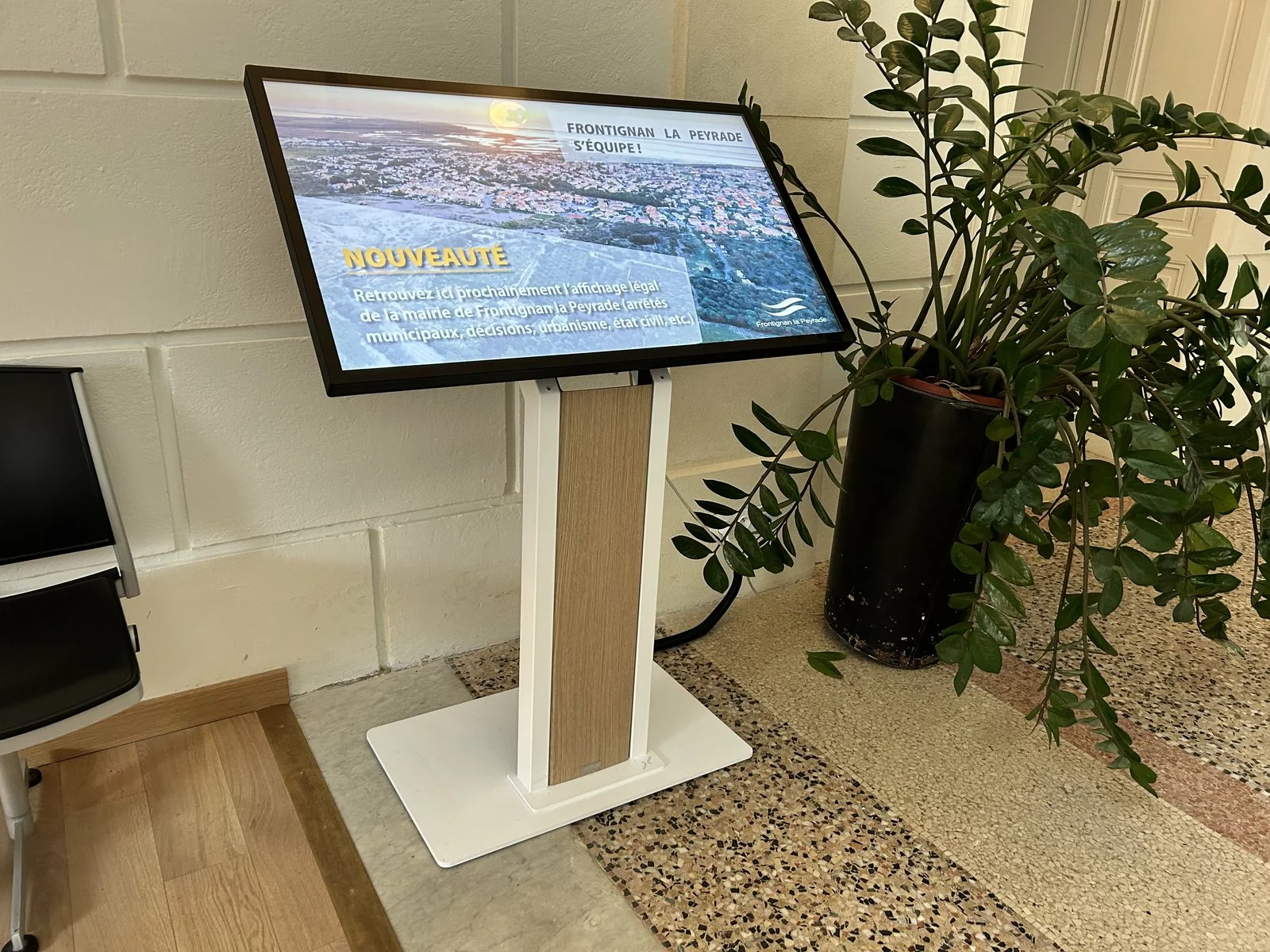
Statutory display kiosk installed in the lobby of Frontignan la Peyrade town hall, France

Frontignan la Peyrade (Hérault, France): one touch screen kiosk installed in 2024, driven with E-MANAGER and E-CLICK.

What the 2021 French reform changed

EMITY is a French software company, and its statutory display module was built around French law. In France, ordinance no. 2021-1310 and decree no. 2021-1311 of 7 October 2021 reformed how local authorities publish their acts. Since they took effect on 1 July 2022, electronic publication is the default method. Paper display is no longer the rule.

  • Above 3,500 inhabitants, the authority and its groupings must publish electronically
  • Below that threshold, councils and inter-municipal bodies keep the choice, set out in an express resolution
  • Paper is still owed to anyone who asks for it: going digital does not remove that duty
  • Outside France, the same module carries whatever statutory notices your own rules require

This is exactly where a freely accessible screen earns its place: it puts the information back within reach of residents who would never look it up on a website. The full framework, retention periods and accepted formats are set out on the legal display management page.

At the front desk

Managing queues and visitors at the town hall front desk

On the first day of term, or during a rush on identity documents, the lobby fills up. Three modules of the same platform then take over from the information screen.

Queue management

Each visitor takes a ticket, their number shows on the lobby screen and a voice announcement calls the counter. Waiting becomes readable, and staff take back control of the flow. See queue management

Visitor book

Visitors and contractors sign themselves in on a kiosk, on the way in and on the way out. The register stays up to date, and the list of people on site is available at any moment. See the guest book

Room booking

Council chamber, community hall, rooms lent to local clubs: every space has its own schedule, readable on a small screen beside the door. See room booking

The journey

From the forecourt to the facilities: six moments worth equipping

Here is the route of a resident with something to sort out, followed as they live it: they arrive outside the town hall, they look for an official notice, they come through the door, they wait their turn. At every step the screen answers one precise question — and the last one is no longer for them, but for your staff.
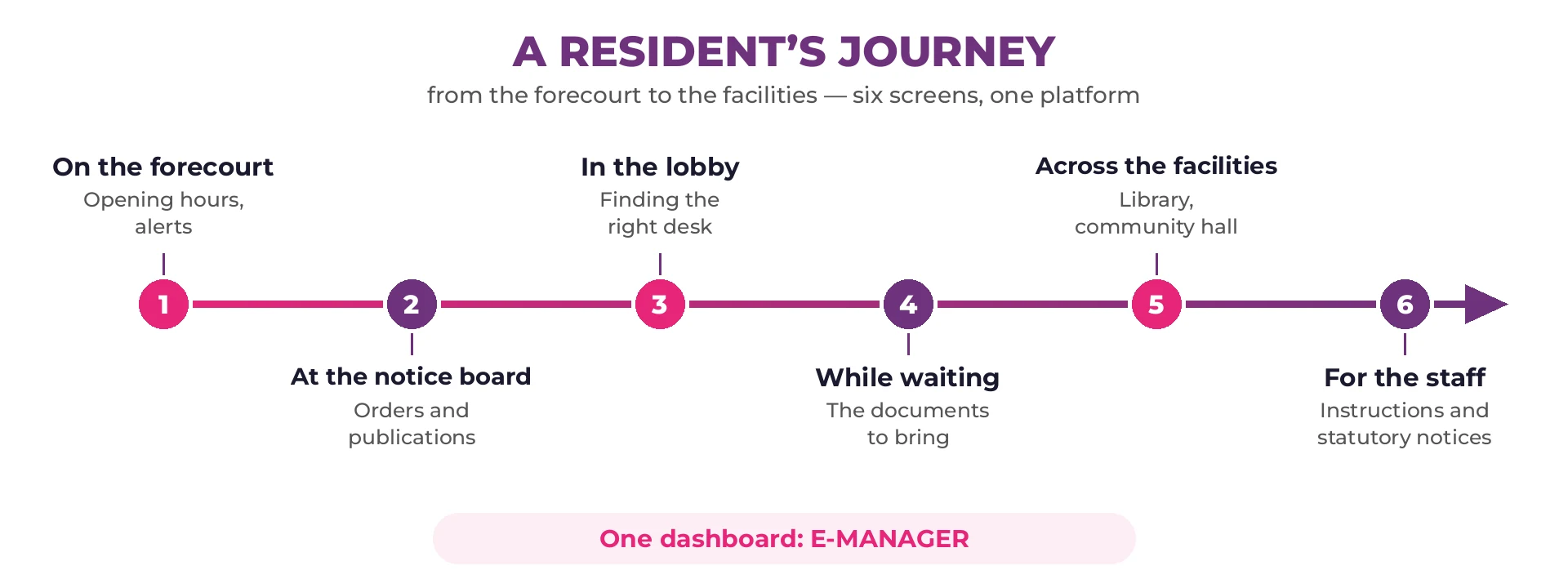
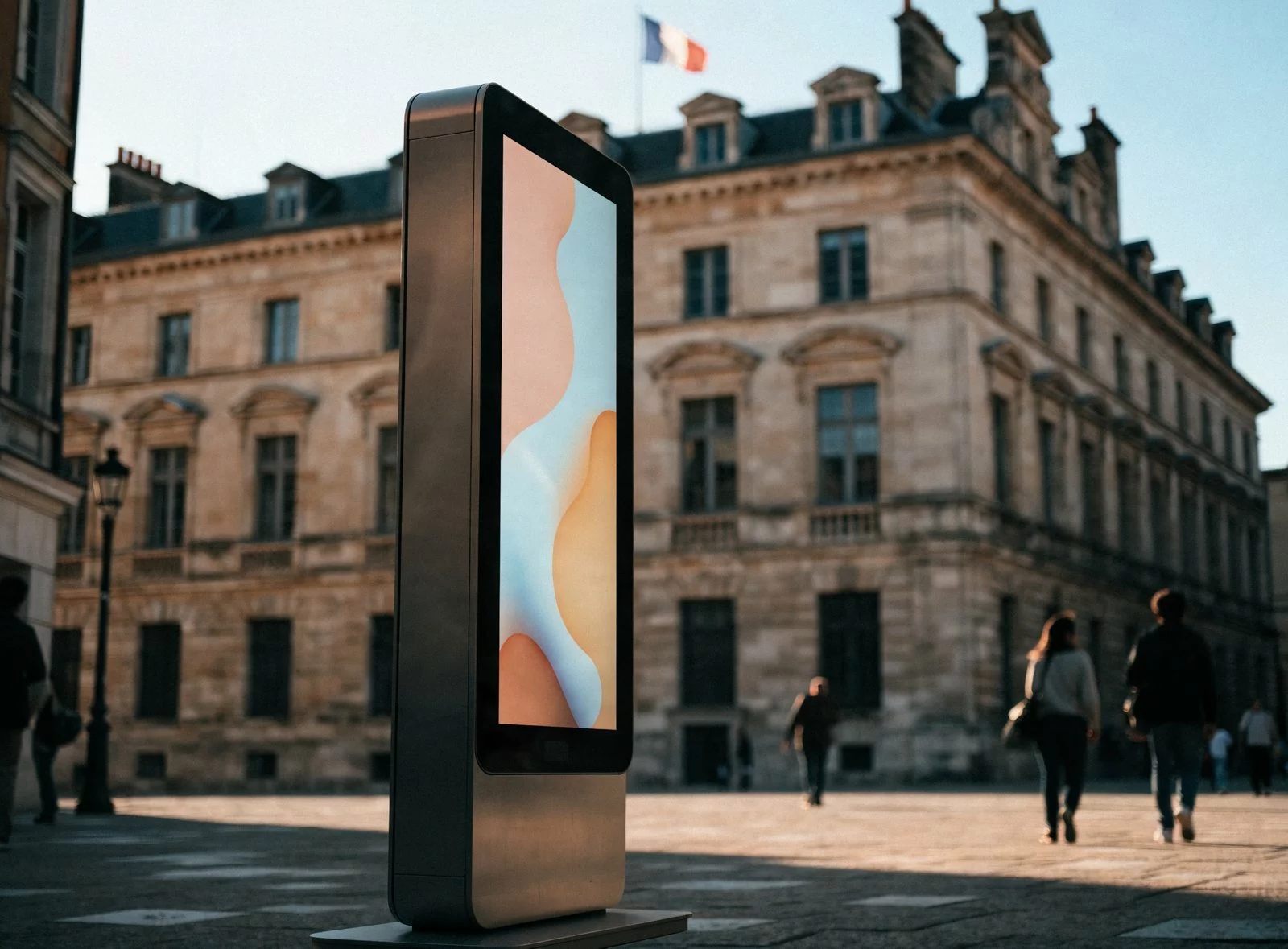
Diagram of a resident’s journey in six linked steps: forecourt, notice board, reception lobby, waiting, council facilities and staff

Outdoor information totem in front of a town hall

1 · On the forecourt

Many trips to the town hall are wasted ones: opening hours nobody was sure of, an unexpected closure, a service that has moved. An outdoor totem says so before anyone climbs the steps, and stays readable in broad daylight. On an outlying site with no mains supply, digital ink takes over.

Inform

Statutory notice board on screen outside a town hall

2 · At the notice board

Orders, council decisions and public consultations have to be available to read. Statutory notices on screen puts them up with a timestamp and a record of when they went live — no drawing pins, no yellowing display case.

Publish

Touch kiosk in the reception lobby of a town hall

3 · In the reception lobby

“Which desk is it for a passport?” The lobby screen sends people to the right service, and a touch kiosk lets them go through the formalities on their own — useful for people who would rather read before they ask.

Direct

Waiting screen in a town hall listing the documents to bring for a passport

4 · While waiting their turn

One missing document means coming back a second time. The waiting screen lists what to bring for each procedure, and a displayed queue number takes the uncertainty out of how long is left.

Fill the wait

Screen announcing a local event in a council facility

5 · Across the council facilities

The same platform feeds the library, the community hall, the sports centre, the schools and the holiday clubs. Each site keeps its own notices, and the council sends out what concerns the whole area in a single move.

Bring to life

Internal information screen in a town hall meeting room

6 · For the staff

The one screen that is not for residents: internal instructions, meetings, and the notices you are required to display to staff. Every department sees the same thing, whichever building they work in.

Co-ordinate

The six screens do not all arrive at once. Most councils start with the forecourt and the statutory notices — the two that work even when the building is closed — then equip the lobby and the facilities. The platform is the same from the first screen to the last.

What sets us apart

Outdoor screens, and electronic ink for remote sites

Communicating outdoors calls for different hardware from a lobby. Two answers, depending on whether the display point has power or not.

Full sunlight first, then the spots with no power

Outdoors, the first question is light: a living-room television becomes unreadable as soon as the sun hits it. High-brightness panels hold up in broad daylight, and their backlight adjusts as night falls so as not to dazzle the neighbours.

That leaves the spots far from a power socket: the edge of a village, the start of a footpath, a bus shelter. EMITY is the first French software company to support electronic ink, with E-PAPER.

  • Zero consumption once the image is displayed: the screen only draws power when the content changes
  • Up to 5 years of battery life
  • Readable in full sunlight, exactly like a paper poster
  • A concrete argument for an authority’s energy reduction plan

The layouts

Ready-made posters, in the authority’s own colours

A local authority’s communications office rarely includes a full-time designer. The template library therefore does most of the work: the text is replaced, the layout holds. The examples below come from the French library — the wording is what you change, the composition is what you keep.
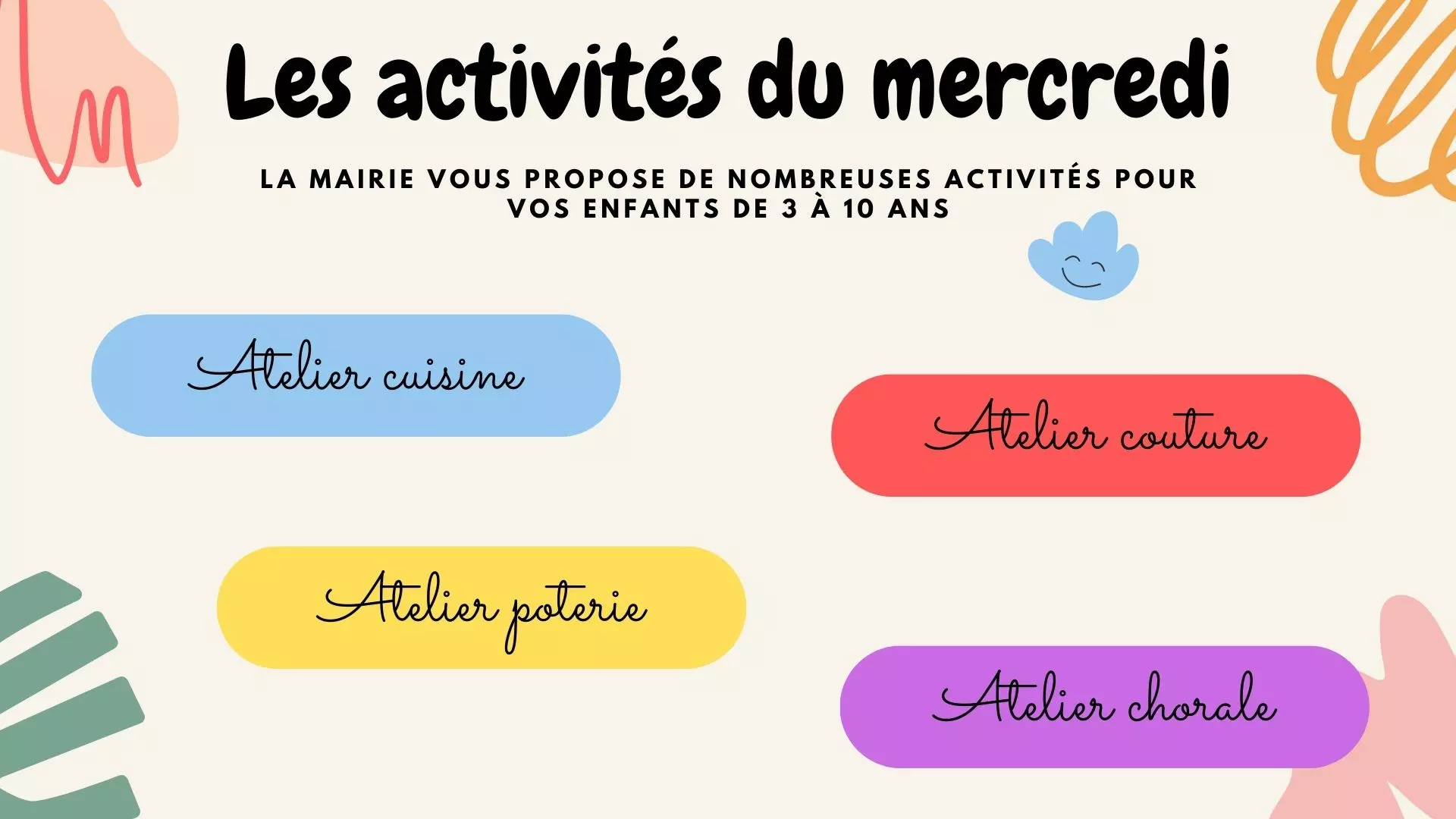
After-school activities

After-school activities

Wednesday clubs, listed by age group. One layout that comes back every school holiday.

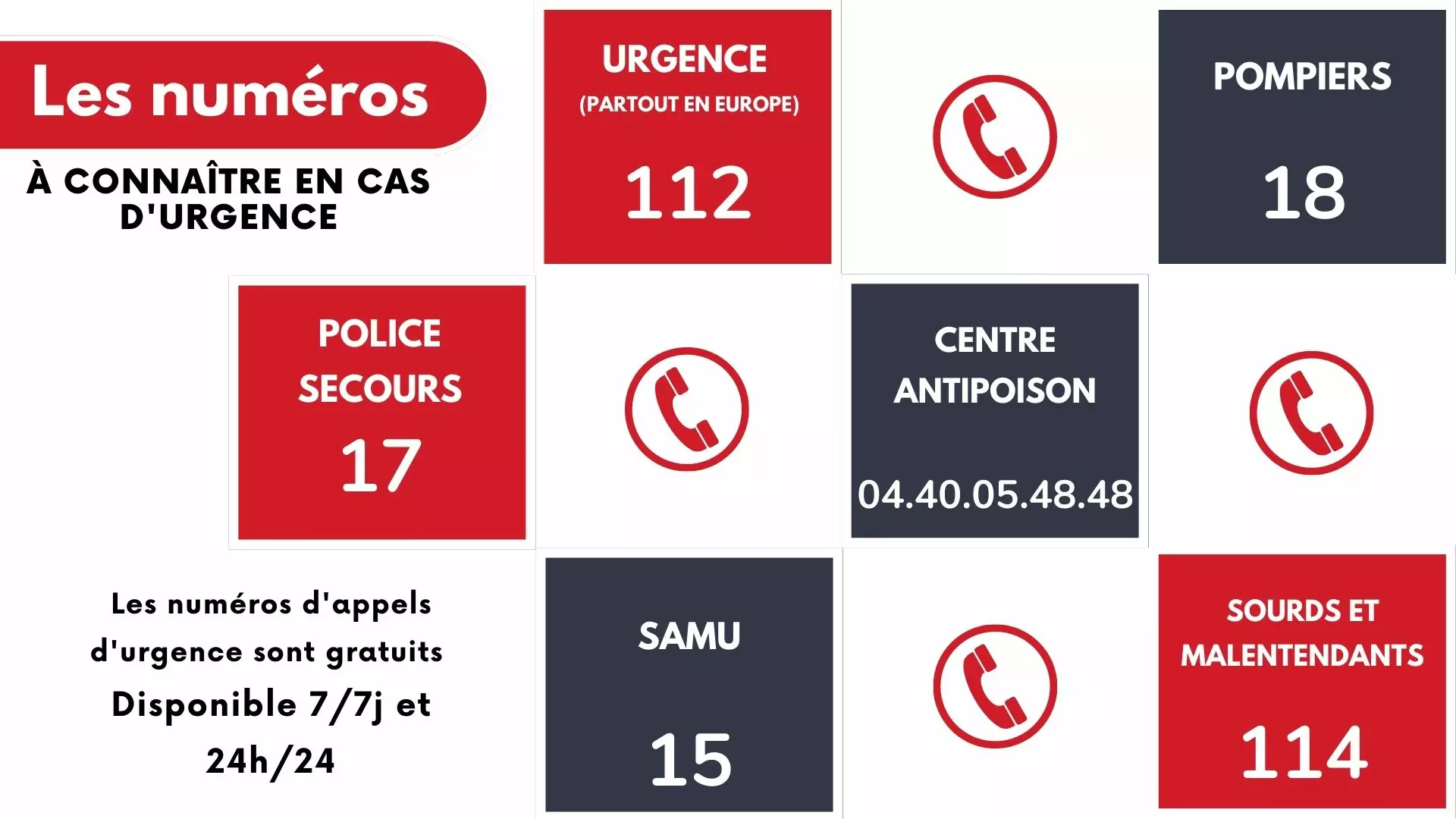
Emergency numbers

Emergency numbers

Ambulance, fire brigade, poison control. The card that stays on screen all year between two news items.

Music festival

Music festival

Dates, times, venue and line-up. The poster appears ten days ahead, then retires on its own.

Administrative formalities

Administrative formalities

Passport applications, documents to bring, holiday season. The lobby answers before the counter does.

Talk in the community hall

Talk in the community hall

Speakers, date, room. The same artwork goes to the lobby screen and to the totem outside.

Public meeting

Public meeting

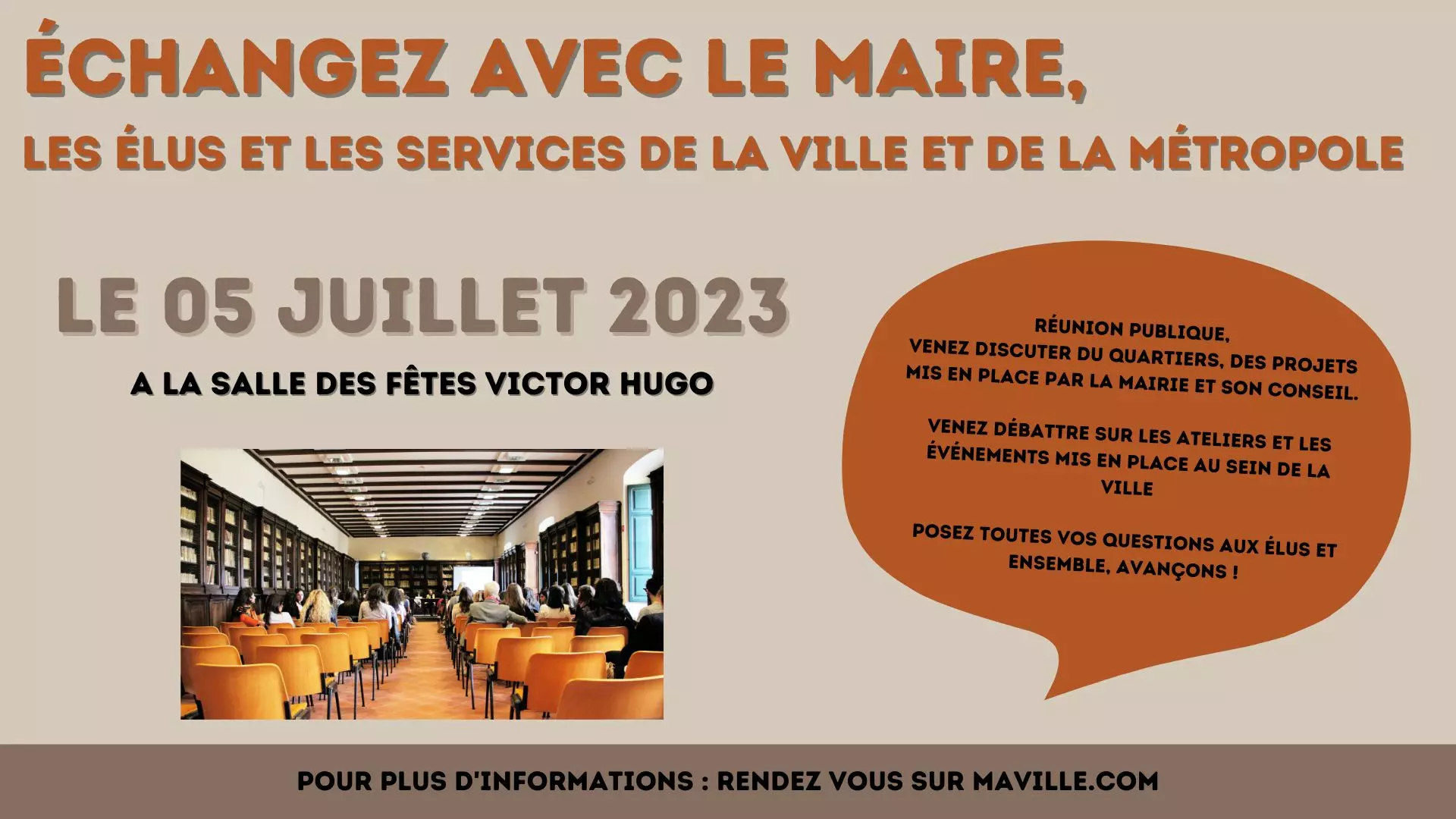
Meet the mayor and the councillors: the agenda fits on one screen, with no leaflets to hand out.

Our references

Councils and authorities already broadcasting

From the rural village to the city centre, the same software scales to the number of screens — from a single display in a lobby to an estate spread across every public building.


Logo of Aulnay-sous-Bois Town Council, an EMITY customer
Logo of City of La Rochelle, an EMITY customer
Logo of La Roche-Posay, an EMITY customer
Logo of Town of Brignais, an EMITY customer
Logo of Town of Ballainvilliers, an EMITY customer
Logo of Town of Étupes, an EMITY customer
Logo of Saulx-les-Chartreux, an EMITY customer
Logo of Village of Bujaleuf, an EMITY customer

+7,000

connected screens

+1,000

customer accounts

+130

distribution partners

+20

countries

Detailed projects, sector by sector, are gathered in our customer cases. To go further on the subject, read digitizing local authorities.

In practice

How a town hall screen is set up

Four steps, three of which are settled before the first broadcast.

1

The connection

One screen, one internet connection. The player sits behind the display and reaches out through the authority’s network, or through a 4G card, with no intrusion into your information system.

2

The E-MANAGER platform

Your online workspace, reached from a browser. Each department gets its own permissions: the library runs its screen, the communications office keeps control of the lobby.

3

The player: E-BOX or E-SOFT

E-BOX is a small HD, 4K or 8K player connected over HDMI. E-SOFT is the application embedded in the screen itself — Android TV, but also professional Samsung (Tizen) and LG (webOS) panels.

4

Broadcasting

Your content goes out to the screens you choose, with time slots and different playlists per building. A video wall stays in step thanks to master-slave synchronisation.

EMITY supports every screen manufacturer: see the list of compatible displays.

FAQ

Frequently asked questions about digital signage in local authorities

The budget has two parts: the hardware (screen or totem, player, mount) and the software subscription. Three plans exist — Standard, Premium and Excellence — chosen according to the modules you need: see our subscriptions. Because EMITY sells through a partner network, the precise quotation is drawn up by the certified reseller covering your area, installation included: ask to be put in touch.

Yes, in the large majority of cases. EMITY supports every screen manufacturer: either by installing E-SOFT directly in the display (Android TV, Samsung Tizen, LG webOS), or by plugging an E-BOX player into the HDMI port of an older screen. Taking over an estate already running competing software is possible too, under the Replay label.

The legal display module of E-CLICK carries notices, council decisions and planning documents on a screen, a touch kiosk or a totem that is freely accessible. In France, electronic publication has been the default method since 1 July 2022, and a paper version is still owed to anyone who asks. Outside France the same module carries whatever your local rules require. The detail sits on the legal display management page.

EMITY sells only through its network: more than 130 certified distribution partners across France and Europe. So it is the reseller covering your area who issues the quotation, supplies the technical datasheets and fills in the administrative documents your procurement team asks for. Contact us and we will put you in touch.

A consumer television, no. An outdoor totem fitted with a high-brightness panel, yes: its brightness adjusts to the ambient light. For a location with no mains power, E-PAPER electronic ink reads like a paper poster, with up to 5 years of battery life: see E-PAPER.

Yes. E-MANAGER handles permissions per user: the library publishes to its own screen, the sports department to the gym, and the communications office keeps control of the lobby and the forecourt. The Excellence plan adds single sign-on (SSO), handy when staff already use a central directory.

No. The player opens an outbound connection to the platform, with no intrusion into your network, and works just as well on a dedicated 4G card if your IT department prefers to isolate the equipment. Access to E-MANAGER is protected by two-factor authentication.

Yes: the trial runs for three months, in the full version and with no commitment. You create your first posters, broadcast them on an existing screen, and judge for yourself before any budget decision: open a trial account.

Try digital signage in your own town hall

Compose your first poster, broadcast it on a lobby screen, and see what it changes for residents. Three-month free trial, full version, no commitment.

✓ +1,000 EMITY customer accounts✓ Every manufacturer supported✓ Certified reseller in your area✓ Technical support included