
Digital signage for theme parks
A park is a small city that changes by the hour: a ride goes down, a storm rolls in, the parade is about to start, a menu item sells out. With EMITY, one platform feeds the screens at the gate, in the queue lines, in your restaurants, in retail, at the hotel and back of house.
+7,000connected screens
+1,000customer accounts
+20countries
+130partners
The starting point
In a park, the information changes faster than the poster
One operating day means dozens of messages on the move: park hours, wait times, showtimes, menu items, promotions, crew instructions. Printing each one costs paper, costs a walk across the park — and until someone makes that walk, an out-of-date notice stays up.
The journey
A day in the park, moment by moment
A park is not a list of locations, it is something guests walk through. Here are the six moments of an operating day, from the ticket window to the break room — the sixth one switches to the operator side, because the same platform serves guests and team members.
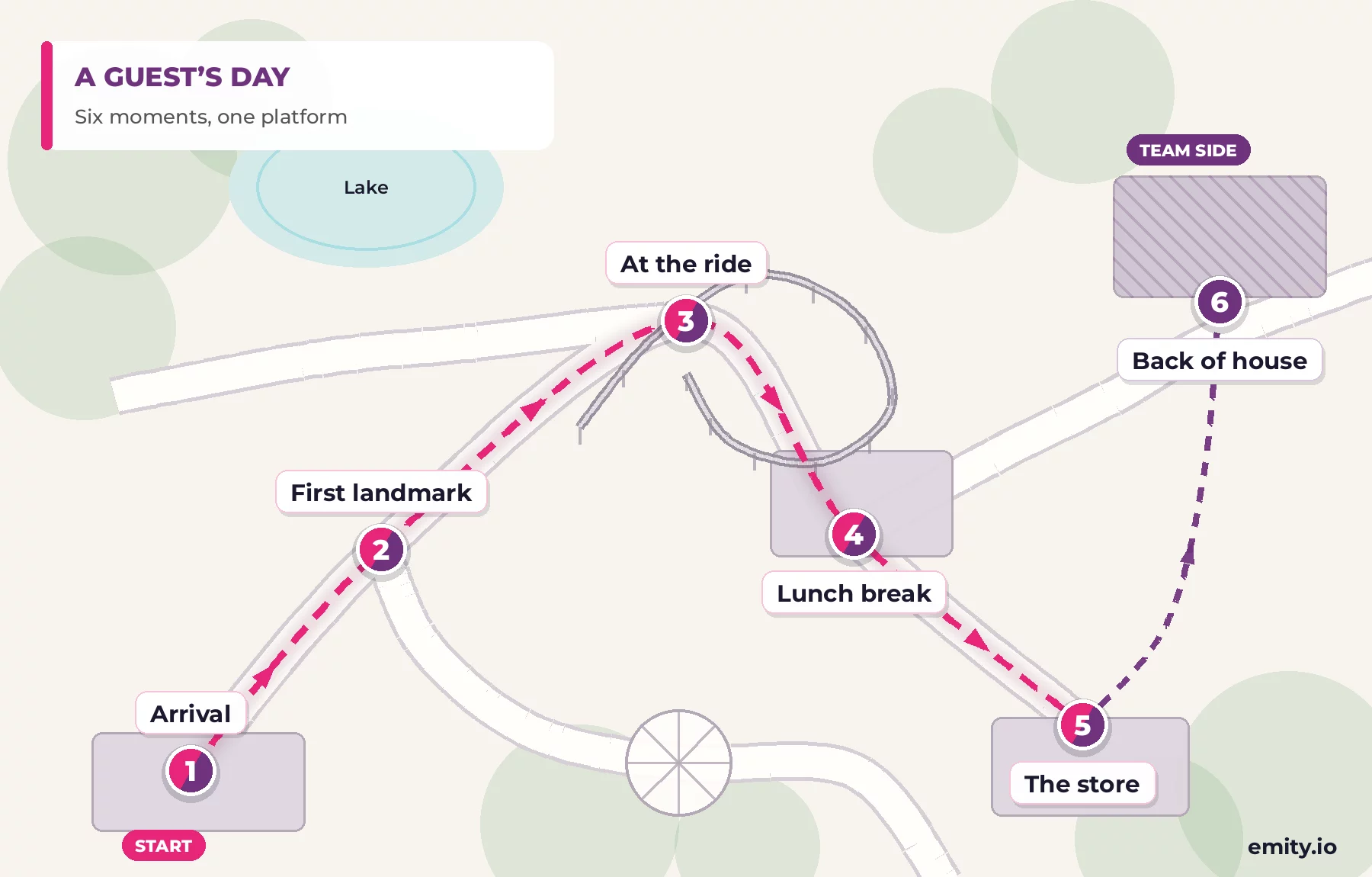


In the park
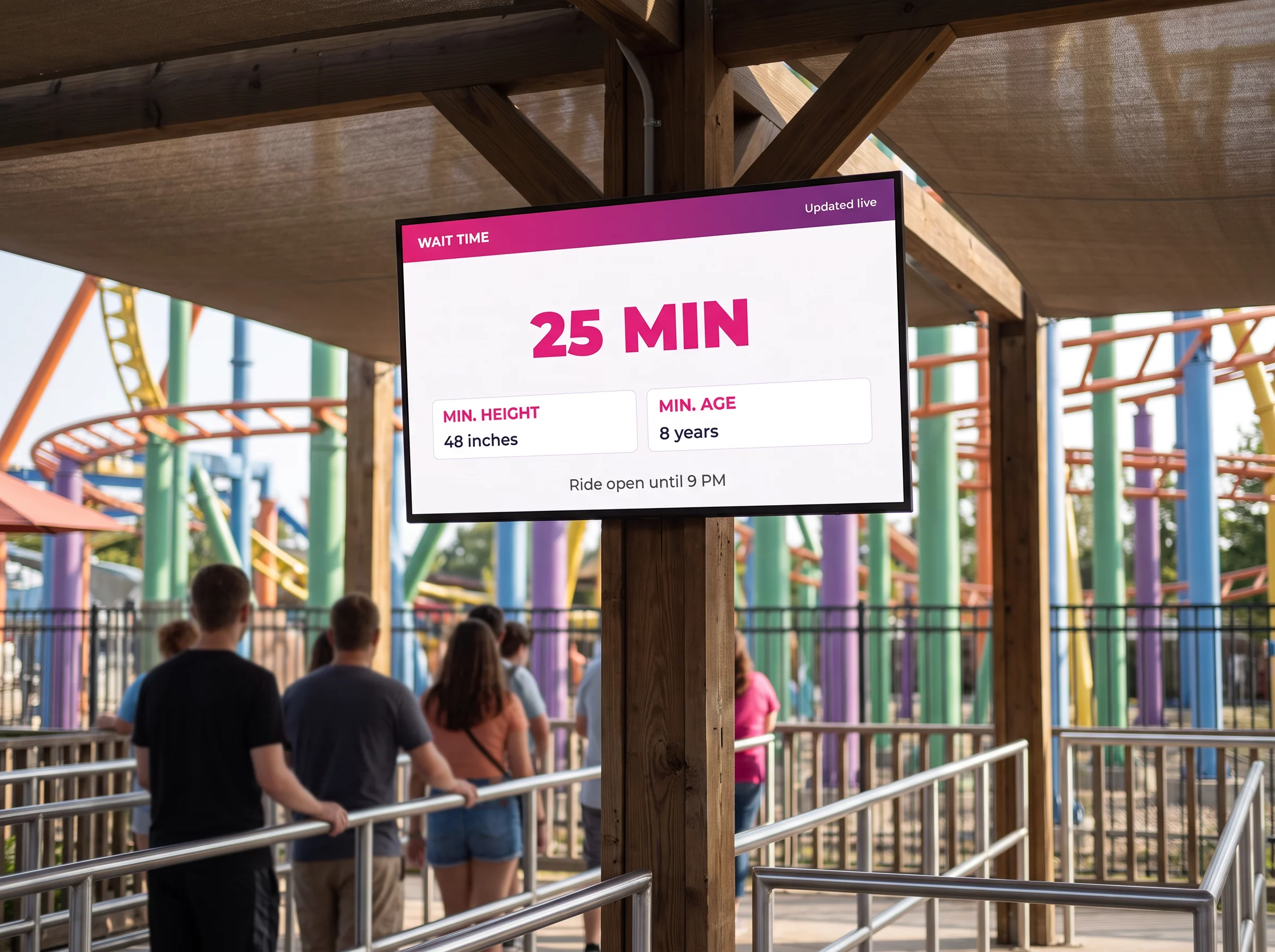
Wait times posted where guests actually stand
Posting the wait already shortens it
An announced line feels shorter than a silent one: guests know what they are in for, and they make a call. Posted at the head of the queue and on the park map, wait times also spread the crowd toward the rides that are running empty.
- ✓Live wait times, fed by your counting system or entered by the ride crew
- ✓A dynamic park map carrying the wait for every ride, on kiosks and totems
- ✓Access conditions: height requirement, minimum age, health restrictions, adult supervision
- ✓Content that makes the wait pass: ride teaser, behind-the-scenes video, trivia — perceived wait drops even when the real one does not
- ✓The next showtime and a countdown to the parade
- ✓All of it in several languages, rotating through the loop
The logic is the same as a service counter: announce, direct, make the wait useful. The module is covered in detail on the queue management page.
The unexpected
A scenario built ahead of time, triggered in one tap
The day something happens, nobody has time to write a message screen by screen. Scenarios are built calmly, once: on the day, a manager triggers one from a phone and every screen concerned switches together.
Ride down
A ride stops: its queue screen posts the estimated reopening, the park map flags it, and the totems point guests to the rides next door.
Storm cell
Outdoor rides close. One scenario switches every screen in the area, points to indoor spaces and pushes the instruction to the crew.
End of day
At the scheduled time, screens move to last rides, shuttle times and store closing — with nobody having to remember.
Peak crowds
When an area saturates, screens feature the rides and food outlets that are running quiet. The crowd spreads out with no crew intervention in the field.
Season and events
Halloween, the holidays, a late-night event: each period has its own programming, built ahead and triggered automatically on the date you set.
Emergency message
An evacuation instruction or a lost child takes over every screen in the park, full screen, in the languages you configured.
Food and beverage
The menu changes more often than the printed board
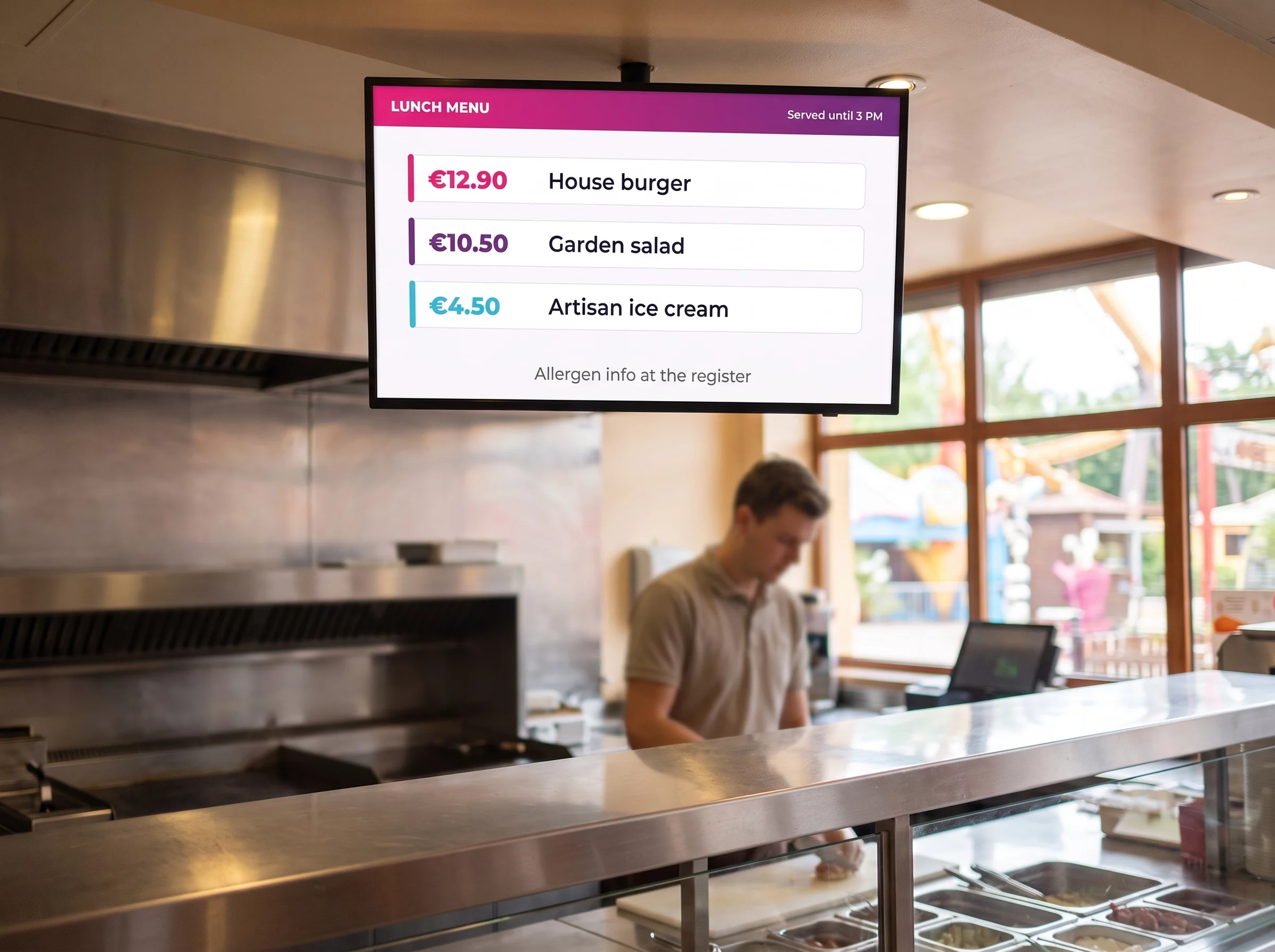
Menu boards and e-paper, from counter to table
A menu on screen is corrected in seconds: an item that sells out disappears, a combo shows up when service opens, a price changes everywhere at once. Your crew stays at the counter instead of redoing posters.
- ✓Prices and allergen information kept current, as regulations require, across every outlet at the same time
- ✓Back-to-back services: breakfast, lunch, snack and dinner follow one another on their own, at the time you scheduled
- ✓A sold-out item pulled from the screen by the kitchen, before the guest orders it
- ✓Table tents and shelf labels in e-paper: digital ink, no cable, no reprint
- ✓Patio seating in full sun: e-paper stays readable where a backlit screen washes out
Menu layouts are covered on the dynamic menu board page, and the digital-ink technology on the e-paper page.
Retail
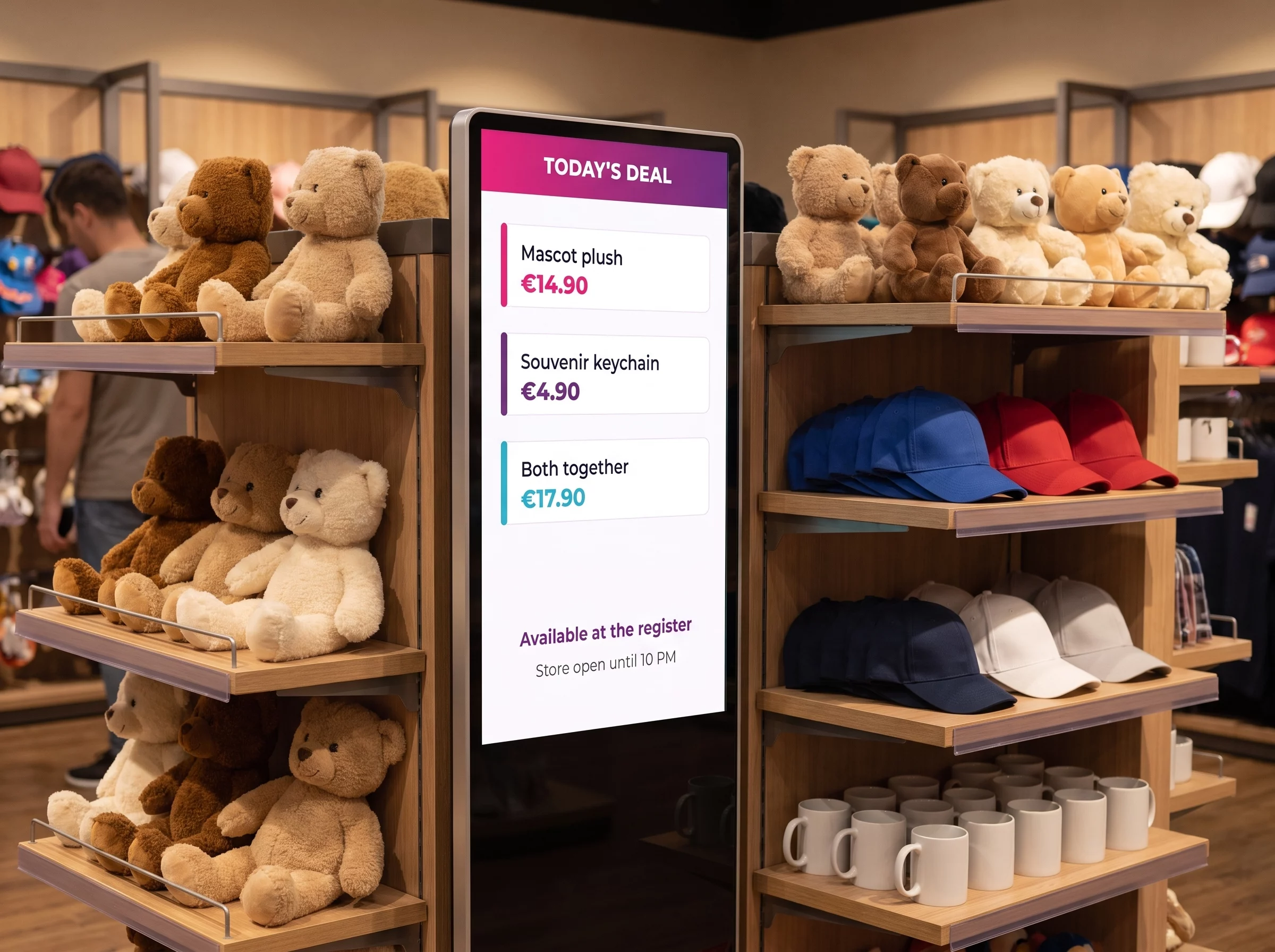
A screen that helps you sell, not a wall of posters
The right item, at the right point of the visit
A park store sells best while the memory is still warm: coming off a ride, after the show, on the way out. A screen placed there features the item that fits that exact moment, and the programming follows the day.
- ✓Contextual display: each store features what relates to the ride next door
- ✓End-of-day promotion triggered on time, to move stock before closing
- ✓E-paper shelf labels: one price change reaches every store at once, with no reprint
- ✓Window screen visible from the walkway, including when the store is closed
- ✓An NFC tag that plays a product video when a phone touches it, with no app to install
On storefront formats, the digital window display page covers brightness constraints; tap-to-play is described on the NFC interaction page.
Lodging
The park hotel, group visits and meeting rooms
Many parks extend the visit with a night on site, and rent their rooms out midweek. The same screens serve both audiences, with separate content.
Front desk and public areas
Park hours for hotel guests, shuttles, weather, services and evening entertainment. The subject is covered in detail on the digital signage for hotels page.
Meeting rooms
Outside each room, a screen shows the meeting in progress, the next slot and whether the room is free. It plugs into your calendar: meeting room reservations.
Groups and school trips
E-paper makes the welcome personal: a panel at the room door, a label on every table, the group name and its program. No cable to run, nothing to reprint.
Back of house
Your team members need the information too
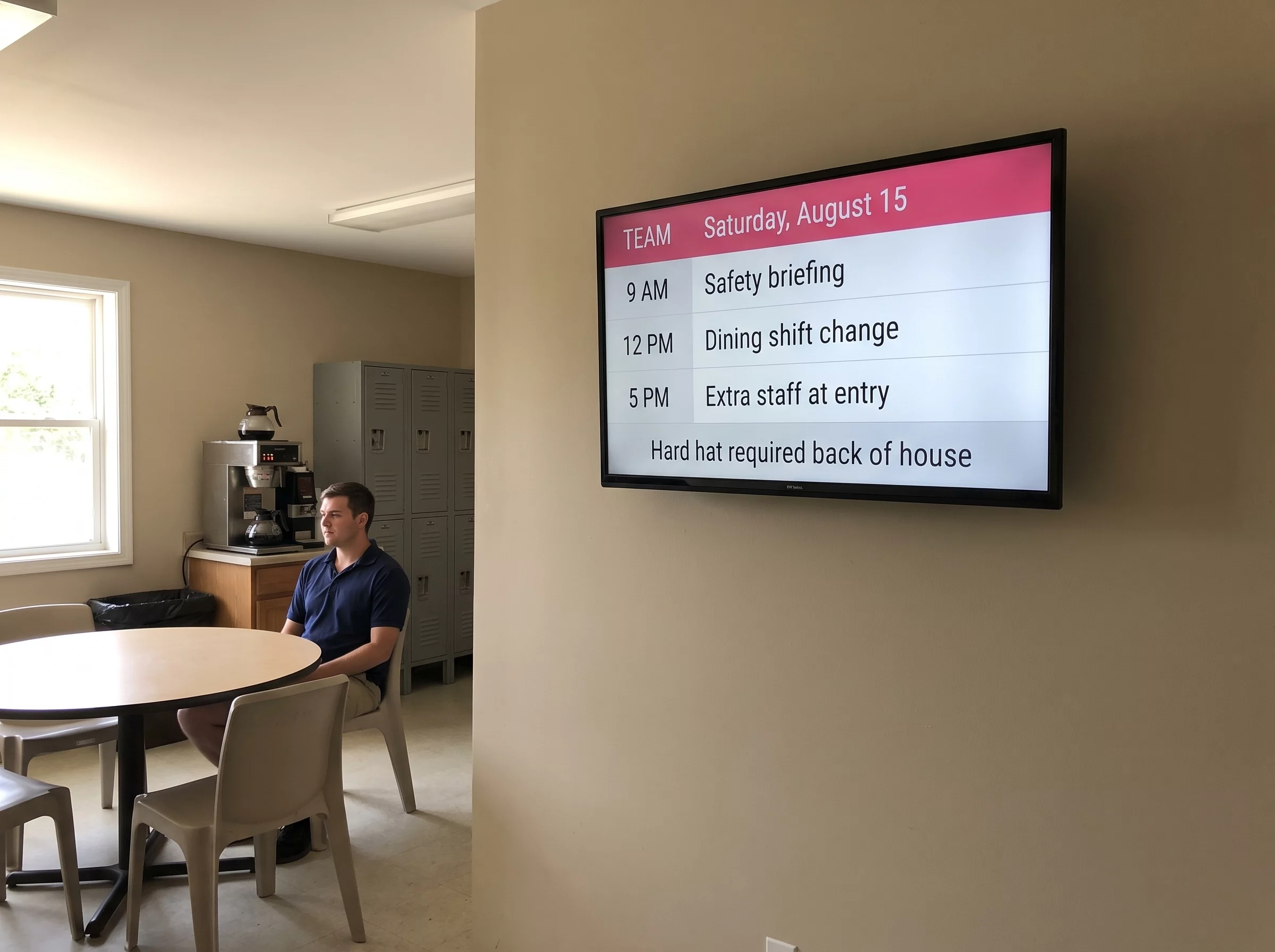
Back of house: the shift plan, safety, the statutory notices
Parks run on seasonal hires, on rotations that change every week. A note pinned to a cork board goes stale fast and nobody reads it twice. A screen in the break room or at the lockers carries the information of the day, and it updates from a desk.
- ✓Digital shift plan: morning briefing, changeovers, extra staff scheduled for peak hours
- ✓Quality, safety and environment indicators — instructions, protective equipment, the watch points of the day
- ✓Onboarding seasonal hires: the same bearings posted for everyone, from day one
- ✓Expected attendance and the goals of the day, shared with the crew in the field
Two useful companions back of house: legal display management, which gathers on one screen the documents you must make available to staff, and the visitor guest book, for contractors and delivery drivers entering restricted areas. The wider subject is covered on the digital signage for companies page.
Hardware
Which screen for which location
A park stacks up constraints that few industries face at once: full sun, rain, viewing distance, and no power outlet at some of the spots you care about. Here is the simple rule, location by location.
| Location | Recommended screen | What decides it |
|---|---|---|
| Entrance plaza, main walkway | LED wall or high-brightness outdoor panel | Viewing distance and full sun: a consumer TV washes out and shuts itself down in the heat. |
| Queue entrance, ride canopy | Protected commercial screen, landscape | Read from a few meters away, running continuously all day. |
| Food and beverage counter | Landscape menu board, one or several screens in a row | Master-slave synchronization lets one menu span several panels with no drift between them. |
| Store, retail walkway | Portrait totem or window screen | Portrait fits between two shelving units; a storefront needs a panel rated for daylight. |
| Table, shelf, meeting room door | E-paper label or panel | Digital ink draws nothing while the content holds still, runs for years on battery and reads perfectly in direct sun. |
| Remote spot with no power | Standalone e-paper panel | No trench to dig to bring power in — which is often what decides the location. |
In practice
How a park gets set up
Four steps, and the first screen goes live the same day.
The data that updates itself — weather, time, social feeds, an embedded web page, a dashboard — comes in through the widgets. And if your ticketing or crowd-counting software is not on the list, our engineering team builds a dedicated connector.
EMITY in brief
A French software vendor, a reseller network
+7,000
connected screens
+1,000
customer accounts
+130
distribution partners
+20
countries
EMITY develops its software suite in Montpellier, France, and distributes it through a network of certified resellers. One account drives anything from a single screen to a thousand: a local attraction as easily as a resort with a hotel, restaurants and stores.
Frequently asked questions
What operators ask before they equip
Nearby
Three pages that complete this one
Queue management
Tickets, counters, posted waits and guest call-forward: the queue management module.
Touchscreen kiosks
Maps, interactive journeys and multilingual self-service: E-CLICK and touchscreen kiosks.


