
Customer case · Transport and logistics
GLS customer case: 111 bay screens
at the Paris Sud hub
Nobody makes up the screens at a parcel hub in the morning. Each one shows the state of a loading bay — destination, end of loading time, status — and that state comes straight from the yard management system. Here is how 111 screens settled into the daily run of a site commissioned in 2024.
The client
GLS France and its Paris Sud hub

GLS France
Parcel delivery · Transport and logistics
Paris Sud hub · 111 screens
GLS France carries parcels for businesses and private customers across the country. Its hubs are the points where loads are put back together: a lorry arrives loaded for one region and leaves loaded for another, and everything hinges on the time spent at the bay.
The Paris Sud hub, at Le Coudray-Montceaux south of Paris, is a latest-generation site commissioned in 2024. GLS France chose to develop a display system there jointly with EMITY, wired into its yard management system — the tool that knows, at any moment, which vehicle is on which bay, bound for where, and until when.
With 111 screens across the site, this is one of the largest estates EMITY has installed in logistics.
On site
Three screens, three jobs
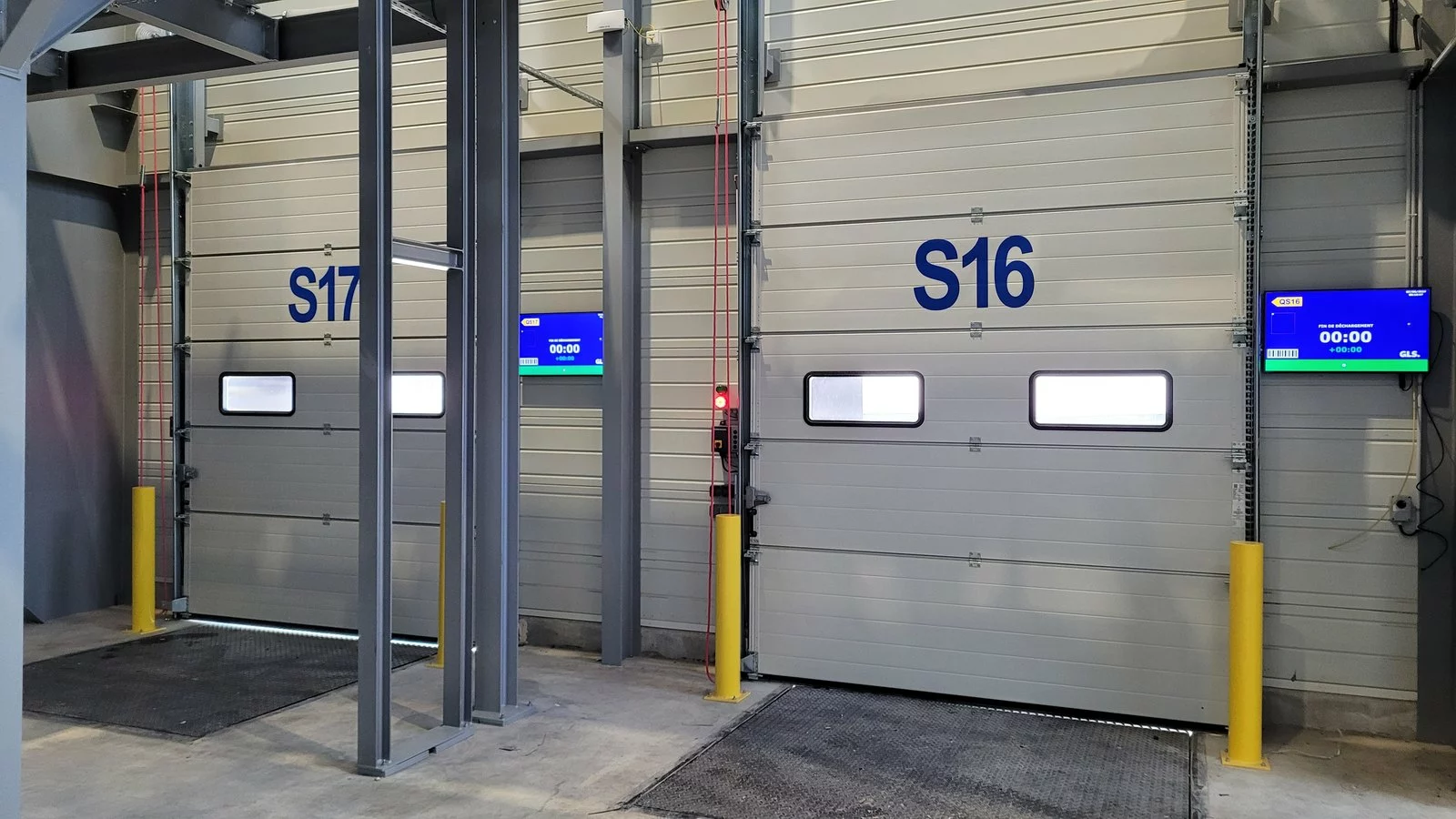
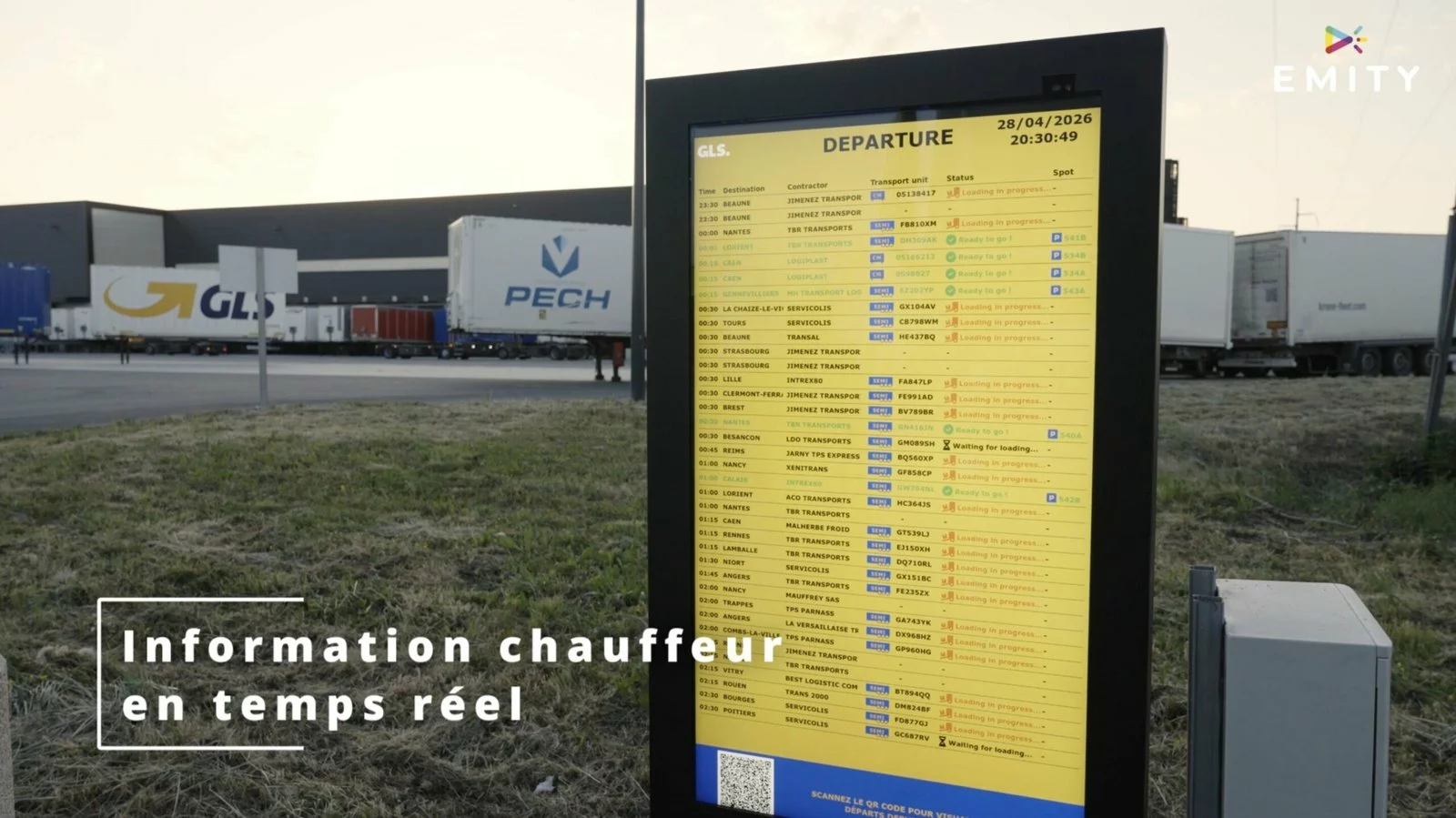
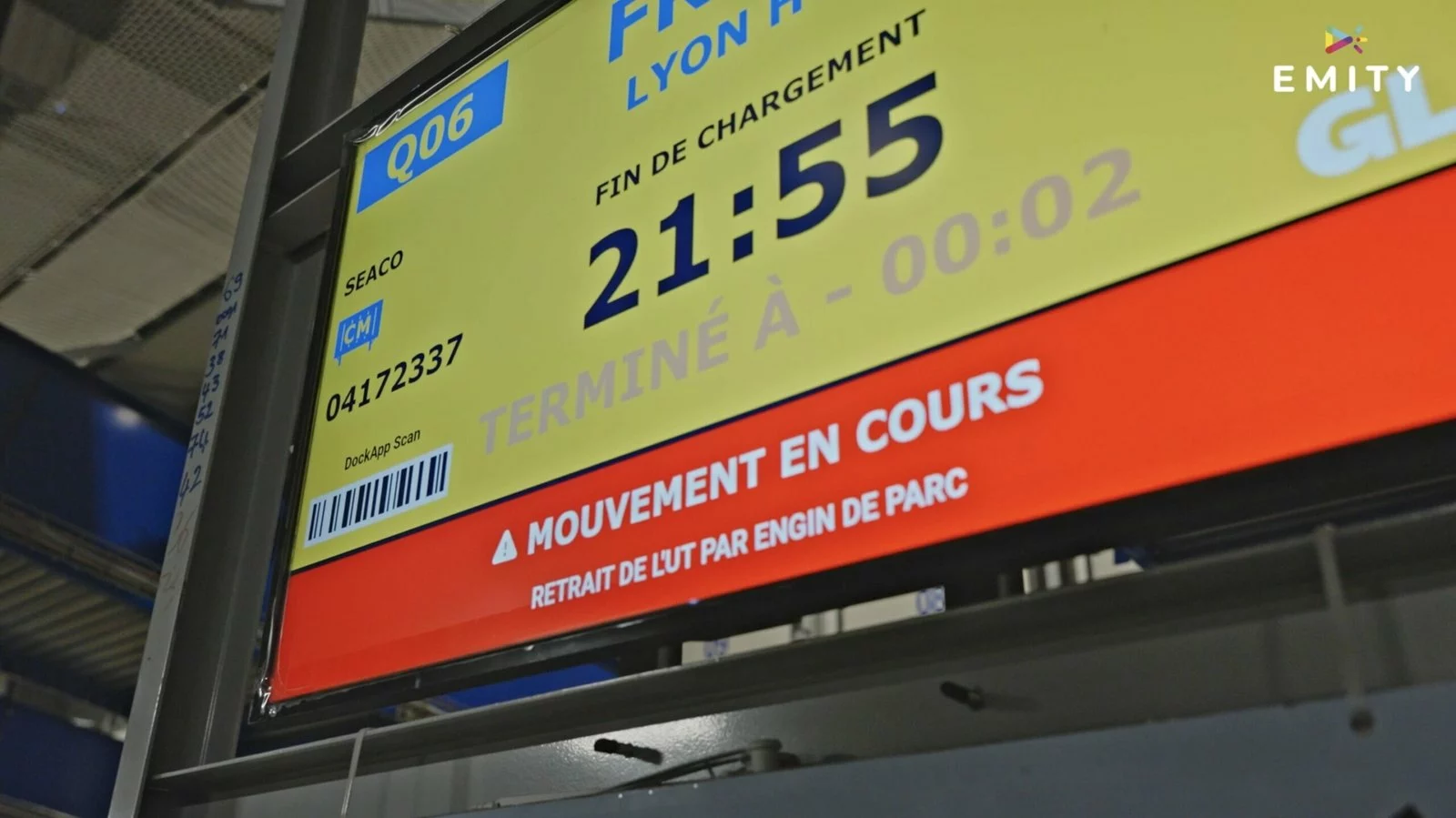
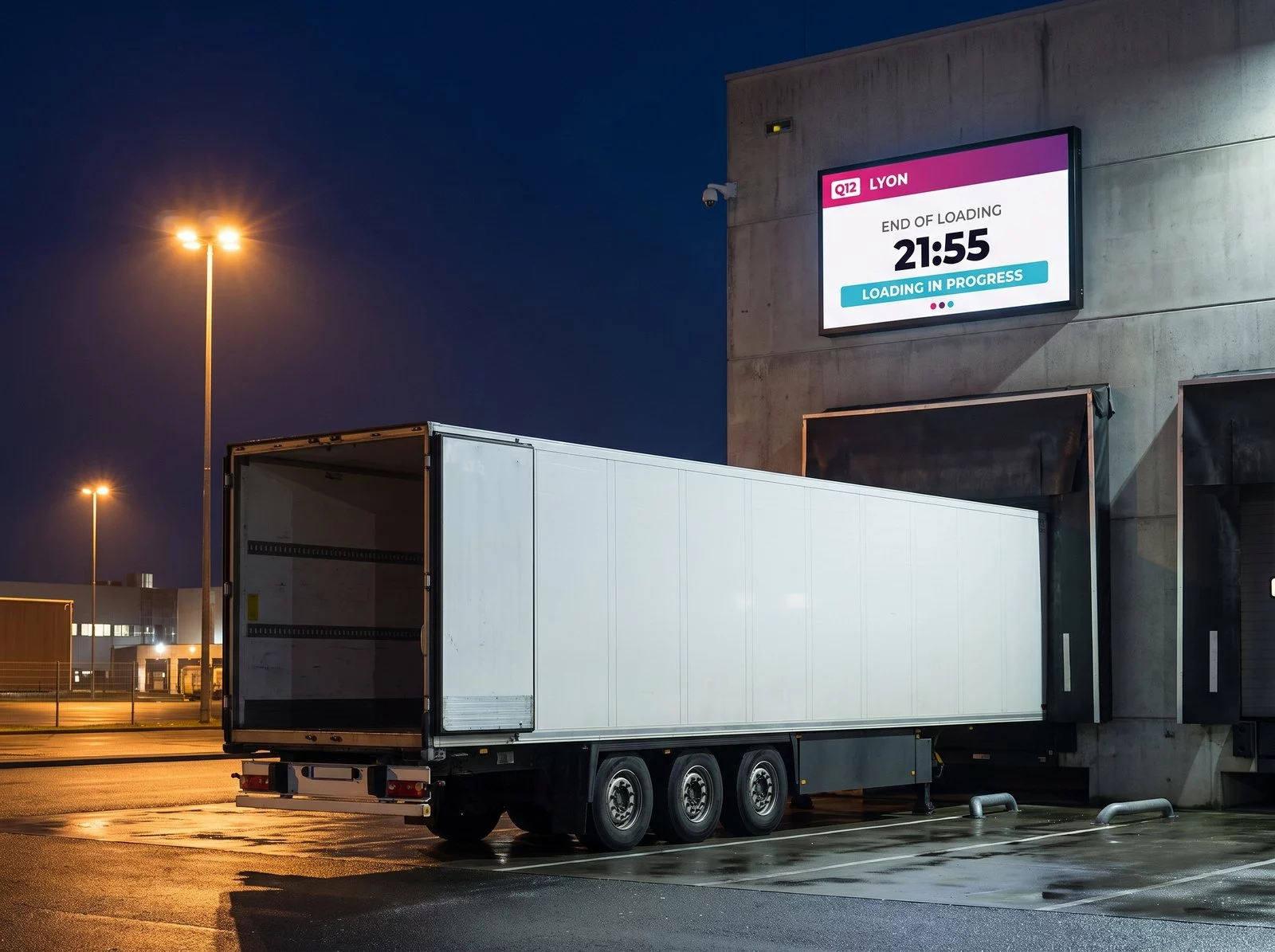
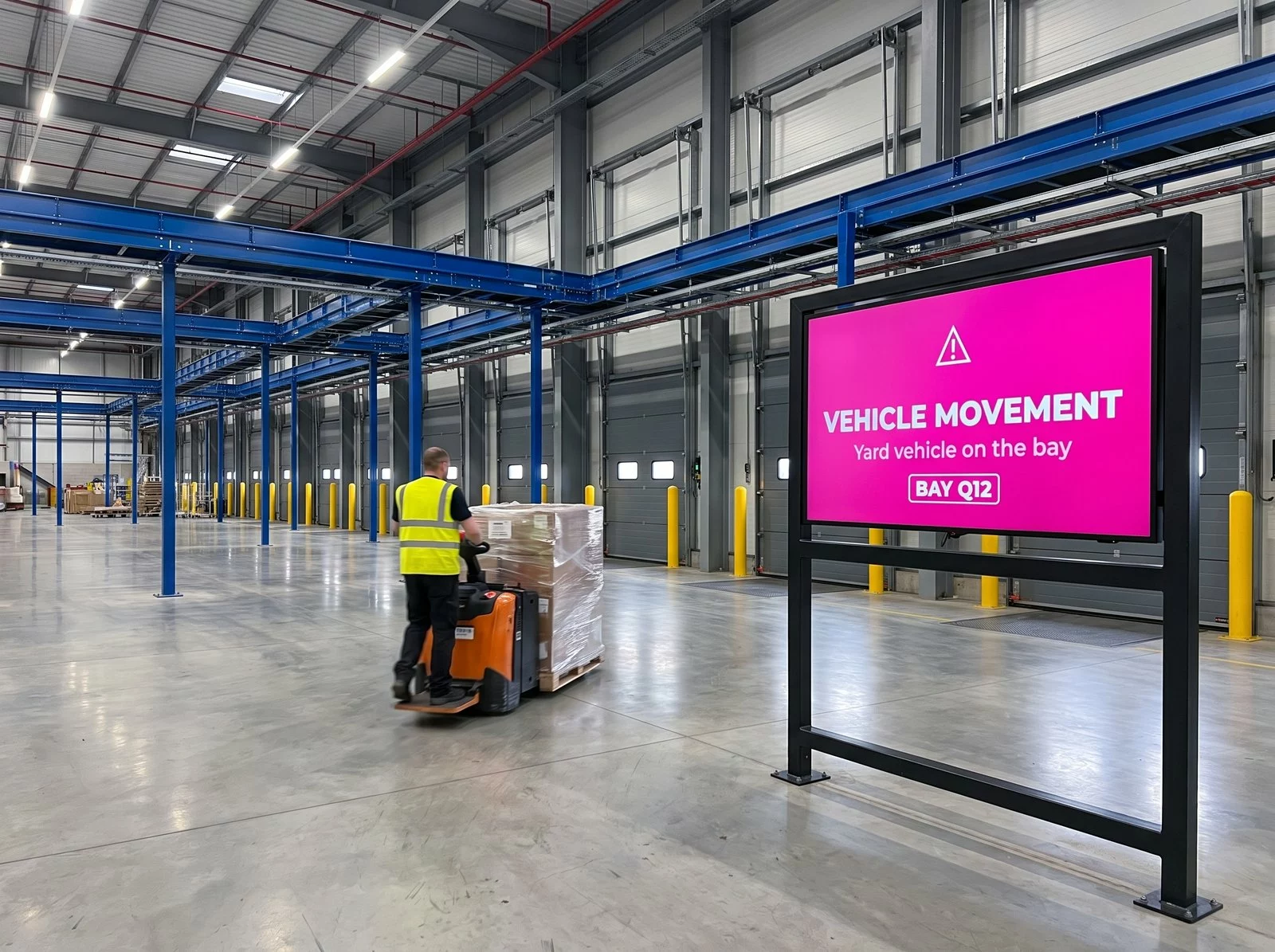
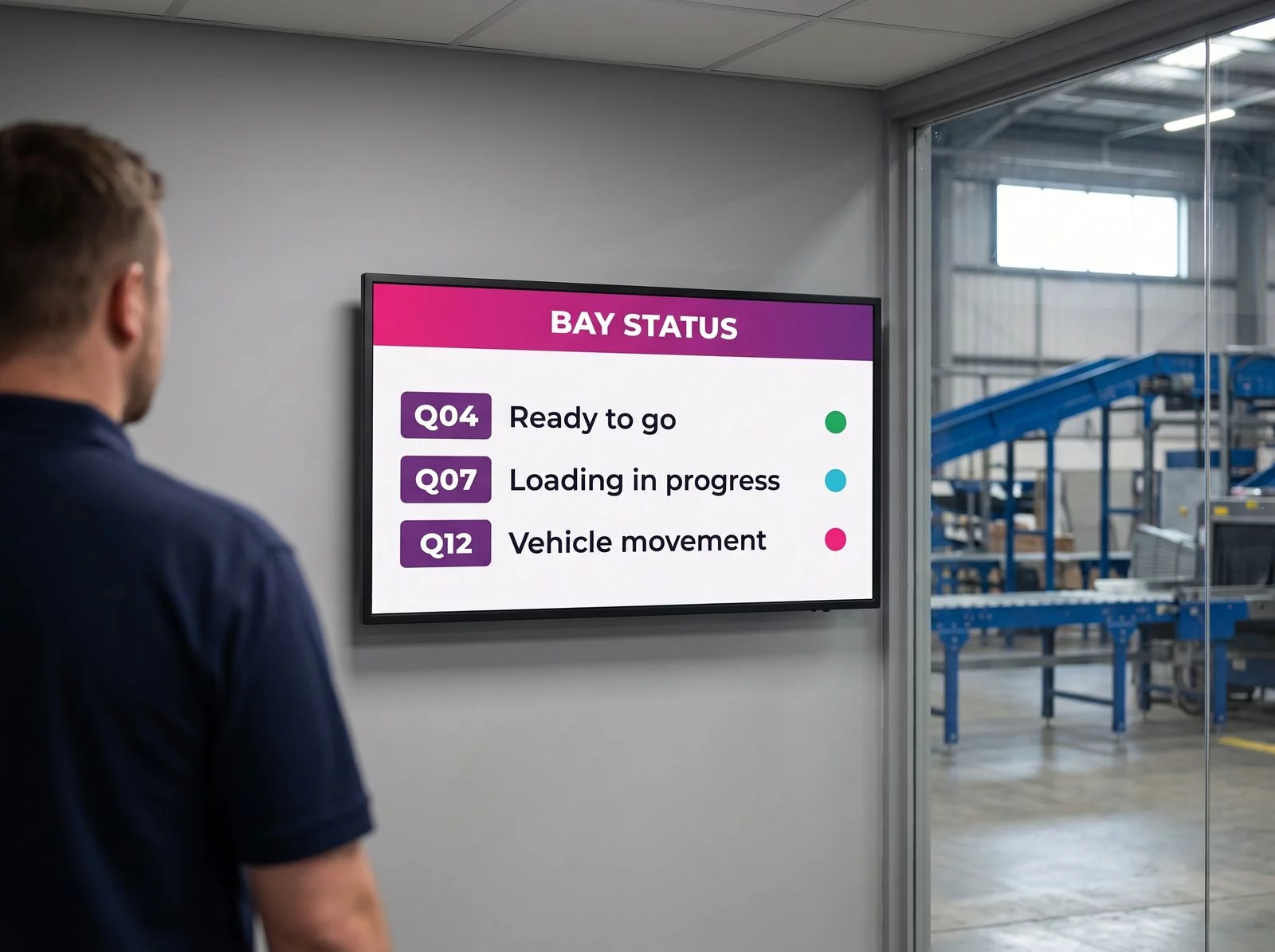
These three photographs were taken at the hub: they show the screens as installed and the interface as it runs, day in, day out.
Worth knowing
Two languages on the same estate
Look closely at the two photographs above and you will notice something: the bay screens inside the building are in French, and the totem out in the yard is in English.
That is deliberate. The bay screens are read by the site teams. The totems are read by drivers who come in from across Europe, and who have no reason to speak the language of the country they are unloading in. Same estate, same platform, same yard management system behind it — two audiences, two languages.
It costs nothing to set up, because the language belongs to the template, not to the screen. A site running lorries from six countries can put the driver-facing displays in English and leave the operational ones in the local language.
- ✓Bay screens in French — read by the operators who work the floor.
- ✓Driver totems in English — read by hauliers from across Europe.
- ✓One system behind both: the language is a property of the template, not of the hardware.
- ✓Nothing to re-enter: both draw the same live data from the yard management system.
The principle
A display with no content to prepare
In a shop or a reception area, digital signage broadcasts content: an offer, a piece of news, a menu. Someone puts it together, schedules it, refreshes it.
At a hub, none of that applies. A bay screen does not show a message: it shows a state. Which lorry is on the bay, where it is bound, when its load must be finished. That state already exists in the yard management system, and it changes by itself, several times an hour.
The display then becomes an output of the information system, in the same way a dashboard or a terminal is. Which changes what you should expect of it entirely.
- ✓Freshness of the data outranks looks: an accurate but plain screen beats a handsome one that lags.
- ✓Legibility at a distance drives the layout: a bay number and a time, very large.
- ✓Availability counts double: the hub runs when the offices are shut, and nobody reboots a screen at three in the morning.
- ✓Consistency becomes critical: across 111 screens, two different templates are enough to sow doubt.
What is running
Five jobs, one estate of screens
All of them run on the same platform, from the same management console: a screen changes role without changing hardware.
A screen at the end of every bay
Destination, end of loading time and a colour-coded status for the movement under way. The information follows the vehicle, not the operator.
Wired into the yard management system
The screens read GLS France’s own yard management system. A bay reassignment made in the operational tool shows on the screen, with nothing typed twice.
Live information for drivers
Outdoor totems list upcoming departures, so a driver knows when the load will be ready without getting down from the cab to ask.
A QR code on every totem
The driver scans it and finds the same information on a phone, then goes back to the cab instead of waiting in front of the screen — and the queue clears itself.
Automatic switch to a safety alert
The moment a yard vehicle works a bay, the screen turns into a full-page warning for the teams inside. An information display becomes a safety device.
In context
The four moments a screen earns its place
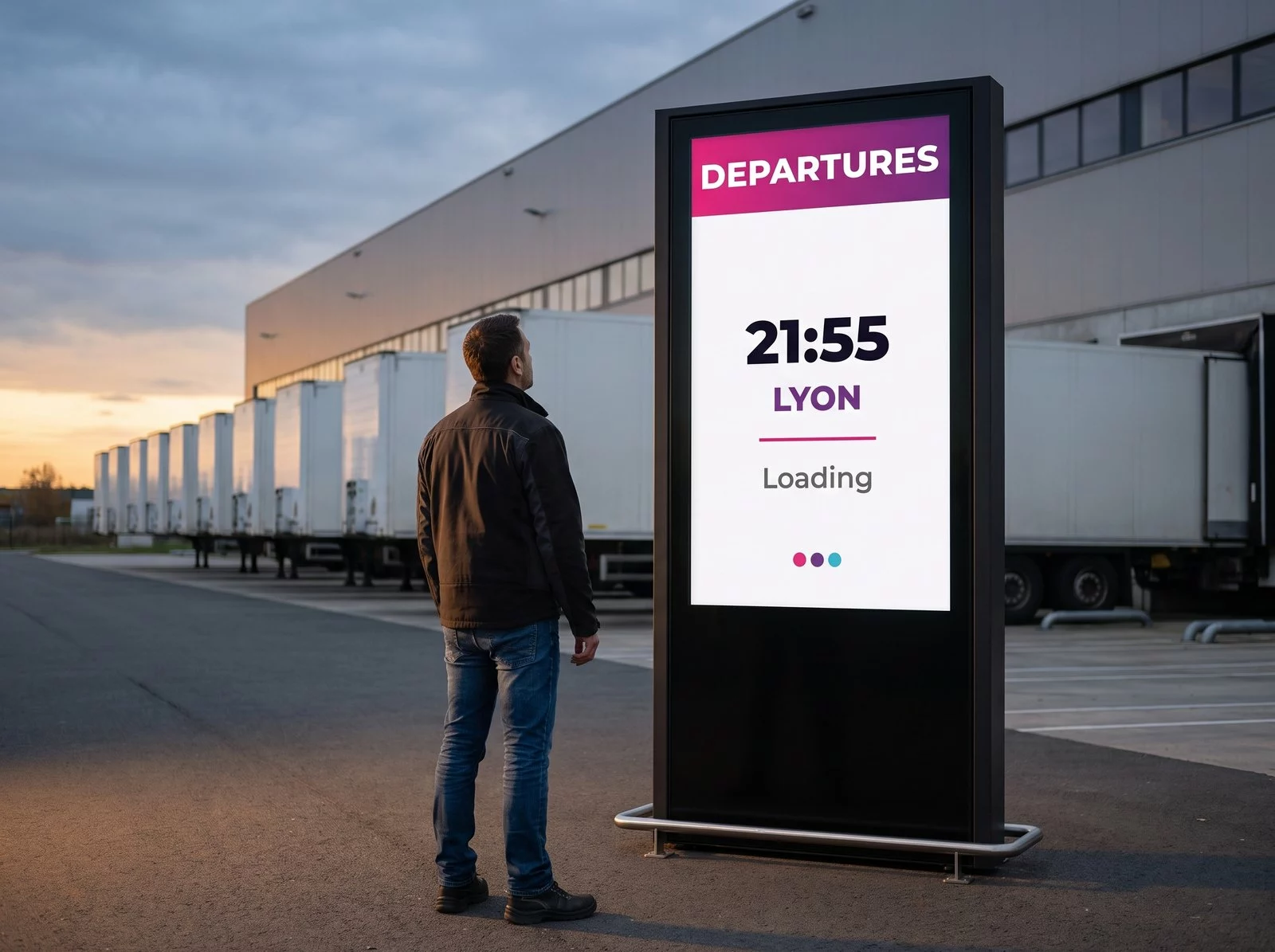
These four scenes are illustrations, composed in the EMITY house style: they show moments the hub photographs do not cover.
The project
Built with the hub teams
The site was new and so were its processes: there was nothing existing to reproduce, but a precise set of requirements to meet.
Joint development
Interfaces, templates and connections were defined with the GLS teams from the design stage, starting from their processes and their operational tools.
Rolling out the 111 screens
Bay screens, outdoor totems and the network infrastructure went in alongside the commissioning of the hub, in 2024.
Taken up by the teams
From day one, operators and drivers leaned on the screens. They are now part of how the site runs.
The client’s words
The screens work and are much appreciated by the teams. Innovative solutions like EMITY’s help us keep the promises we make to our customers.
Samy LEROI
Product Manager Linehaul & Hub · GLS France
Translated from the original French.
On film
The hub at work
A few minutes on site: the bays, the totems, the interface as it runs.
The outcome
What the display does away with
The worth of a bay screen shows mostly in what it saves: journeys across the site, phone calls and questions.
Fewer trips across the site
Finding out how a load was getting on meant walking over to look. The information now sits where the work happens.
Drivers who sort themselves out
With the departure time on display and a QR code to hand, a driver no longer has to collar the bay team to find out where things stand.
Information that is never stale
Because the display reads the operational tool, there is no out-of-date version of the information: nothing is re-entered anywhere.
Common questions
What logistics teams ask
Let’s talk about your site
Do you run a hub, a warehouse or a loading yard ? Our teams can go through what your screens ought to be showing, and which operational tool to wire them to.


